Bug reports straight to your email, with nothing else to check
Too many tools, too many notifications. How to get complete reports in the inbox you already read, and keep nothing anywhere else if you prefer.

Short answer: yes. Bopmigo can email you every report, with the screenshot, page and a summary, and reply straight from your email if you know who sent it. Turn on Don’t keep reports in Bopmigo and each report is erased from Bopmigo once it’s emailed, so your email holds the only copy.
When email only is the right choice
- A small team that already lives in one shared inbox.
- Client sites where the client wants reports, not another login.
- Strict data rules: fewer places that store customer data.
What arrives in the email
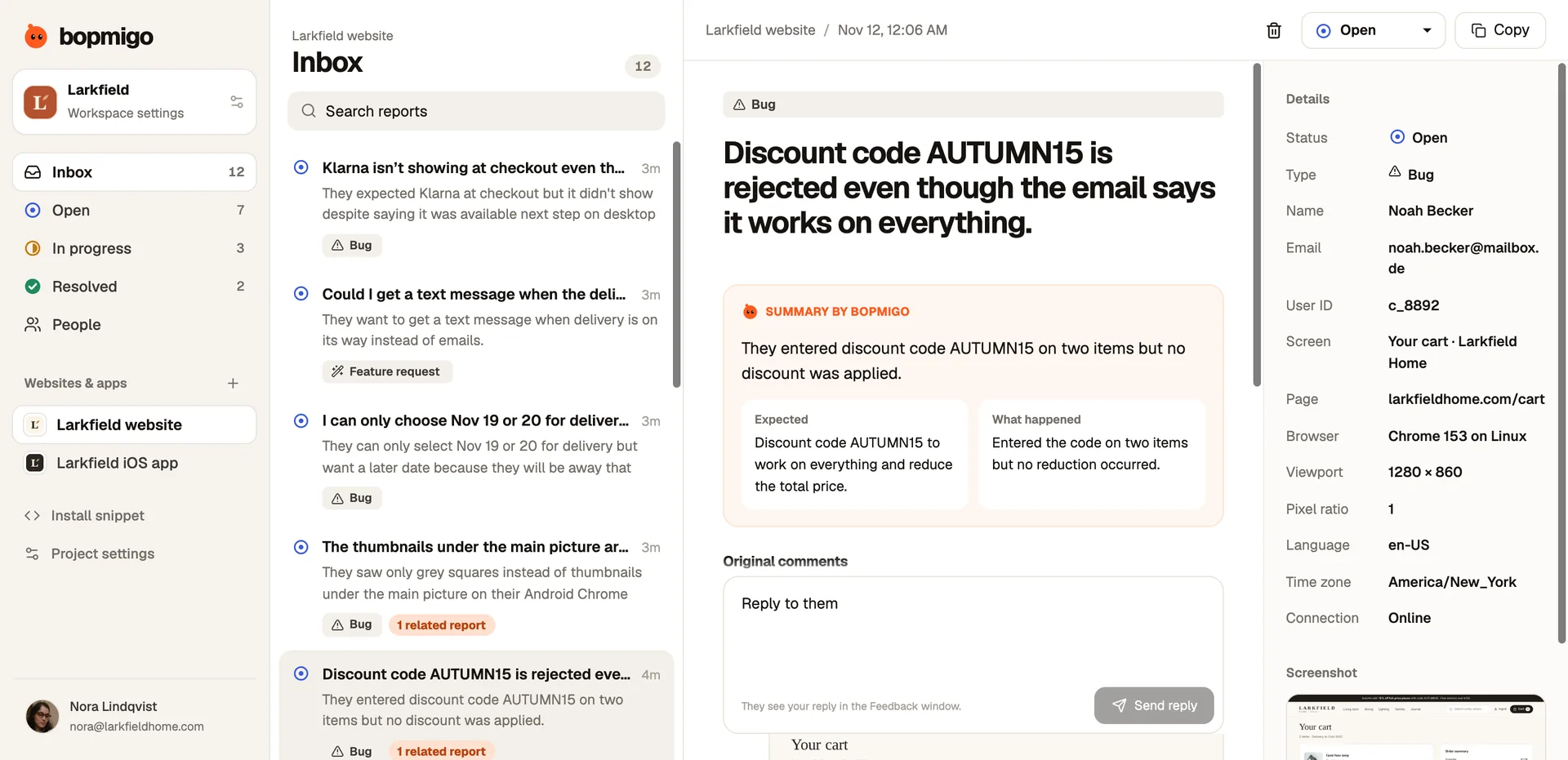
- A one-line summary and what they expected.
- The screenshot, with private details covered.
- Page or screen, browser or device, app version, time zone.
- Their answer to the follow-up, if they gave one.
Set it up
- 1
Confirm your email
In project settings, confirm the address reports should go to.
- 2
Choose email only, if you want
Turn on Don’t keep reports in Bopmigo.
- 3
Reply from your email
If your site shared the person’s email, replying goes straight to them.
With email only, grouping and the inbox history aren’t available, because nothing is kept in Bopmigo.
Details: reports by email