Feature requests that are really bugs (and bugs that are really requests)
People call things the wrong name. “Please add X” can mean X is broken; “it’s broken” can mean it never did that. How to tell the difference, and why it matters for what you fix first.
Short answer: users don’t know what your product is supposed to do, so they label things by how they feel. “Could you add a way to save?” may mean Save is broken. “Export is broken” may mean it never supported that format. Ask what they expected, check it against what the product is meant to do, and relabel before you prioritise.
How to tell them apart
| They wrote | It is probably | Check |
|---|---|---|
| “Please add a way to…” for something you already have | A bug or a findability problem | Does the feature work? Can they find it? |
| “X is broken” for something you never built | A feature request | Was this ever supposed to work? |
| “It should remember my…” | Either | Did it remember before? Then it’s a bug |
| “Why can’t I…” | Often confusion | Is the option hidden somewhere? |
| “Since the update, it doesn’t…” | A regression bug | Compare with the previous version |
Why the label matters
- Bugs erode trust and usually come first. Requests are weighed against your roadmap.
- A bug mislabelled as a request can wait months while customers quietly leave.
- A request mislabelled as a bug can derail a sprint with something that was never promised.
- Confusion mislabelled as either gets fixed in the wrong way: new features when a clearer label would do.
A simple relabelling routine
- 1
Read what they expected
If what they expected is something the product should do, it’s a bug or confusion.
- 2
Try it yourself
On the same page and device. Does it work, and is it easy to find?
- 3
Relabel
Bug, request or confusion. Keep the person’s original words.
- 4
Reply with the right answer
For a bug: “You’re right, that’s broken, fixing it.” For confusion: “It’s under Settings, and we’ll make that clearer.” For a request: thank them and say where it stands.
Group requests by the need behind them
Once requests are labelled correctly, group them by the need, not the wording. Five people asking for “CSV export”, “send to my accountant” and “download my data” may all need the same thing. Feature request tracking.
A worked example
A request arrives: “Please add a way to save my filters.” The product already saves filters. Testing on the same page shows that filters reset when you go back from a product page in Safari, which makes it look like there is no saving at all. What looked like a feature request was a bug, and fixing it removed a cluster of similar “please add” requests at the same time.
Signs a request is really a bug
- Several people request the same thing you already have.
- Requests mention “anymore” or “like before”.
- Requests come mostly from one browser or device.
- The request appeared right after a release.
Signs a bug is really a request
- They describe something the product was never designed to do.
- They compare with another tool: “In X you can…”.
- The “bug” is a deliberate limit, such as a plan feature.
Keep a decision log
| Report | Labelled as | Turned out to be | Action |
|---|---|---|---|
| “Add a way to save filters” | Request | Bug in Safari | Fixed |
| “Export is broken” | Bug | Request for PDF | Added to roadmap |
| “Can’t find dark mode” | Request | Confusion | Moved the setting |
A simple log like this shows how often labels are wrong, and trains everyone on the team to check before prioritising.
Questions to ask about your own backlog
- How many open requests are for things the product already does?
- Which requests mention “anymore” or “like before”?
- Which requests come mostly from one browser or device?
- Who checks labels before items are prioritised?
Who should relabel reports?
Whoever reads them first, usually support or the founder. Keep the person’s original words.
What if a request is both?
Split it: the broken part is a bug, the new part is a request.
Does it matter for small teams?
More, because a mislabelled bug can sit unfixed for months behind a long list of requests.
A quick decision path
- 1
Does the product already do this?
If yes, go to the next step. If no, it’s a request.
- 2
Does it work when you try it on their page and device?
If no, it’s a bug. If yes, go on.
- 3
Could they find it?
If not, it’s confusion: improve the label, location or help.
- 4
Did it change recently?
If it worked before and doesn’t now, it’s a regression bug. Fix it first.
Four questions, two minutes per report, and your list of bugs and requests becomes trustworthy.
How Bopmigo helps
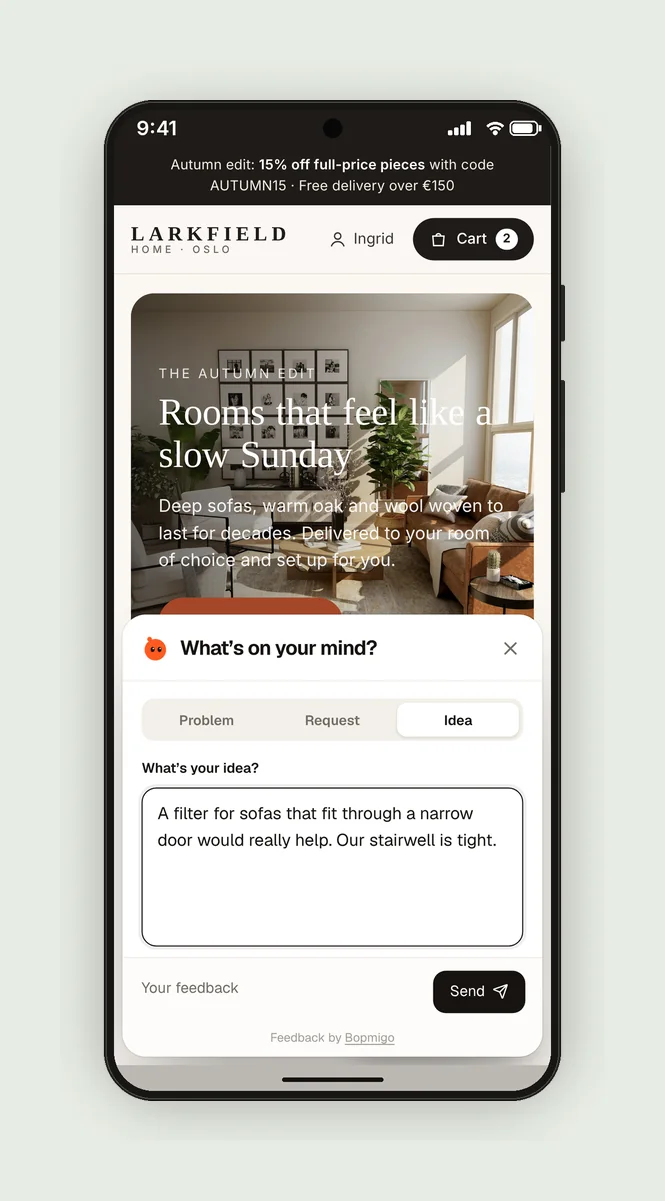
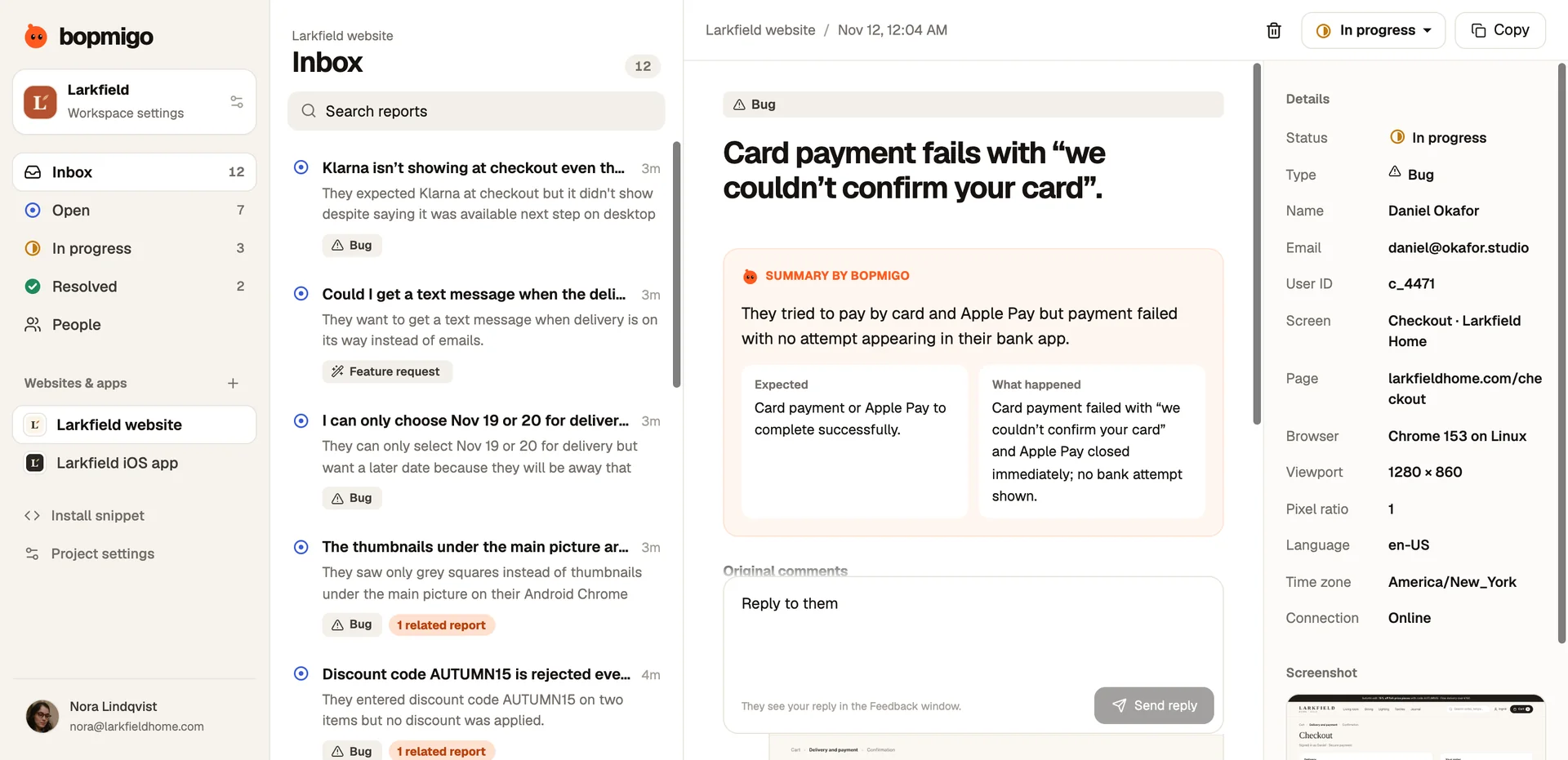
People choose Problem, Request or Idea when they report, and Bopmigo’s summary shows what they expected and what happened, which makes mislabels easy to spot. Each report shows its type and status in your inbox, and requests about the same thing are grouped.