Feedback widget vs contact form for websites
Compare feedback widgets and contact forms for product questions, bugs and requests. See what to test before choosing a tool.
Choose Bopmigo when people need to tell your team about something on the page they are using, clarify it and receive a reply. A contact form can also collect messages, but you need to decide how the page context and follow-up conversation will reach your team.
Compare the conversation, not just the button
| What you need | What to check |
|---|---|
| A visitor reports a broken booking form | Can they report from that page without finding another contact screen? |
| Your team needs to understand the problem | Does the report include the available page context and a way to ask for missing details? |
| The visitor wants an answer | Can the conversation continue where they reported, or through an agreed email address? |
| A general business enquiry | Can the person clearly choose the right destination and describe the enquiry? |
A practical booking example
A visitor writes, “The total did not change when I added a night.” A useful next step is to understand which dates they changed and what total they expected. Asking for their phone number or company size does little to explain that problem.
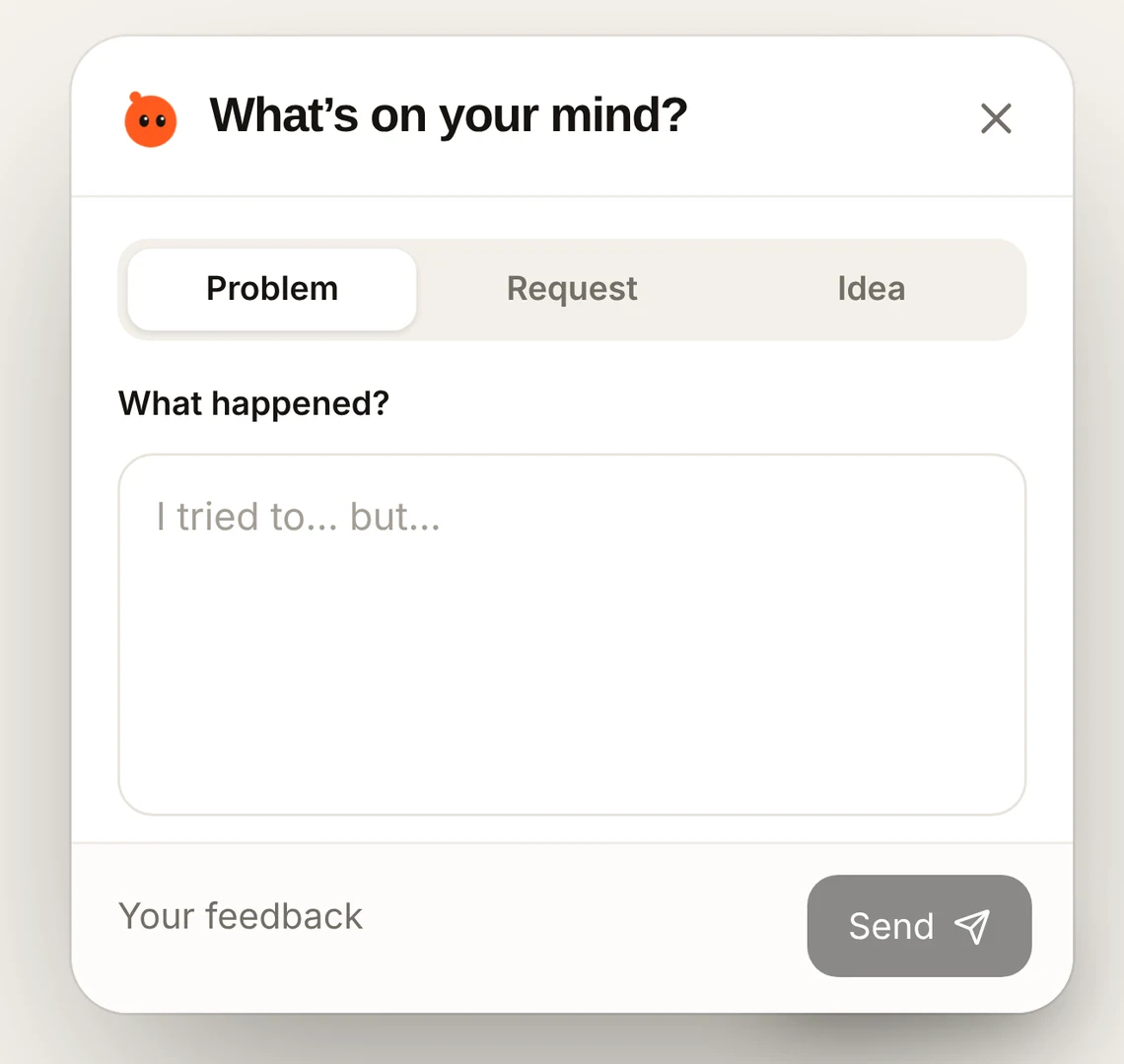
With Bopmigo, the visitor chooses Problem, Request or Idea. A short follow-up helps clarify missing information, and your team reads the conversation with the available page details in its inbox.
What if you already have a contact form?
Keep the form for the enquiries it handles well. Give product feedback a clear place on the page, and decide who reads it. Avoid two competing buttons with labels that leave visitors guessing where to report a problem.
Test the complete exchange
- Send a report from a phone on the published website.
- Check that the correct page and message arrive in the inbox.
- Reply and return to the Feedback window to read the answer.
- Test text-only reporting too, so an image is never the only way to explain the problem.
Choose Bopmigo for ongoing product feedback
Bopmigo brings incoming feedback, short follow-ups, related reports and replies into one workspace. It works on websites, Swift iPhone apps and Flutter apps. Team-started messaging is available on websites.
Start a seven-day Bopmigo trial, connect a test project and check the first report and reply. No credit card required.
Do visitors need a Bopmigo account?
No. People using your website can send feedback without creating a Bopmigo account. Your team creates the workspace that receives it.
Can we answer by email?
Yes, when the person’s email address is supplied. Check your project’s email setup and send an internal test before inviting customers.