Collect user feedback on internal tools
Help colleagues report friction in internal web apps and follow up on the task they are doing, with a practical Bopmigo setup checklist.

Put feedback inside the internal tool so colleagues can explain a problem while they are working. Bopmigo gives the team a shared place to read reports and start focused website conversations with identified people.
Ask about the work, not the software in general
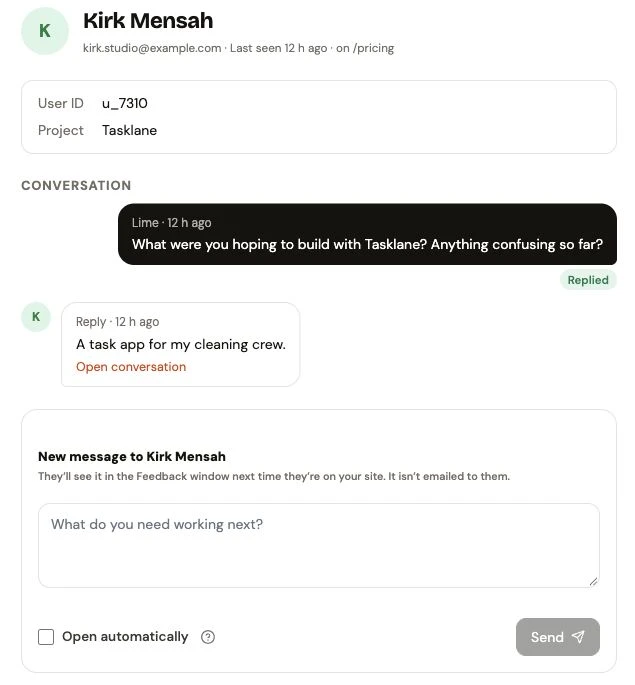
In the Tasklane example, the team asks what the person hoped to build. Their reply says they need a task app for a cleaning crew. That is a starting point for a useful conversation about assigning and completing jobs.
Use two ways to hear from colleagues
| Situation | A useful approach |
|---|---|
| Someone encounters a problem | Let them open Feedback and describe the blocked task. |
| Your team wants to understand a workflow | Send a focused website message to an identified person. |
| A change is ready to try | Explain the change and ask whether it helps with their task. |
| A colleague cannot access the tool | Keep another approved contact route available outside that tool. |
Set expectations before the pilot
Explain who reads reports and what information is shared. Use this workflow for product feedback on the internal tool. Give sensitive staff matters their appropriate private channel.
Connect one internal website
- Create the project and add its approved website addresses.
- Install the widget and send an internal test report.
- If you want to start messages, connect the signed-in person’s identity through your integration.
- Test a reply from the person’s browser and read it in the inbox.
- Agree who reviews reports and how the team will communicate decisions.
Make the first question specific
Ask “What stopped you from assigning the next job?” when that is the task you need to understand. Avoid asking colleagues to rate the entire system when the team is deciding how one workflow should change.
Start a seven-day Bopmigo trial, connect a test project and check the first report and reply. No credit card required.
Does this require a public website?
Use an address your colleagues can access and that your Bopmigo project permits. Check your organization’s security and privacy requirements before installing.
Is website messaging available in every native app?
The proactive People messaging workflow described here is for websites. Native app feedback and report replies have their own setup guides.