Fewer revision rounds for freelance web designers
Client feedback that arrives complete, on the page it’s about, so your team can clarify the change and track the review round.

Short answer: most extra revision rounds aren’t about the design. They come from feedback that’s vague, scattered across email and texts, or missing which page and device it was on. Give clients one place to report, on the site itself, and each round closes faster.
Where the time actually goes
| What the client sends | What you have to do |
|---|---|
| “The header looks weird” | Ask which page, which device, what they expected |
| A screenshot in a text message | Work out the page and browser from the picture |
| Ten notes in one email | Split them into tasks and chase the unclear ones |
| “Did you fix the thing?” | Find which thing, in which thread |
What changes
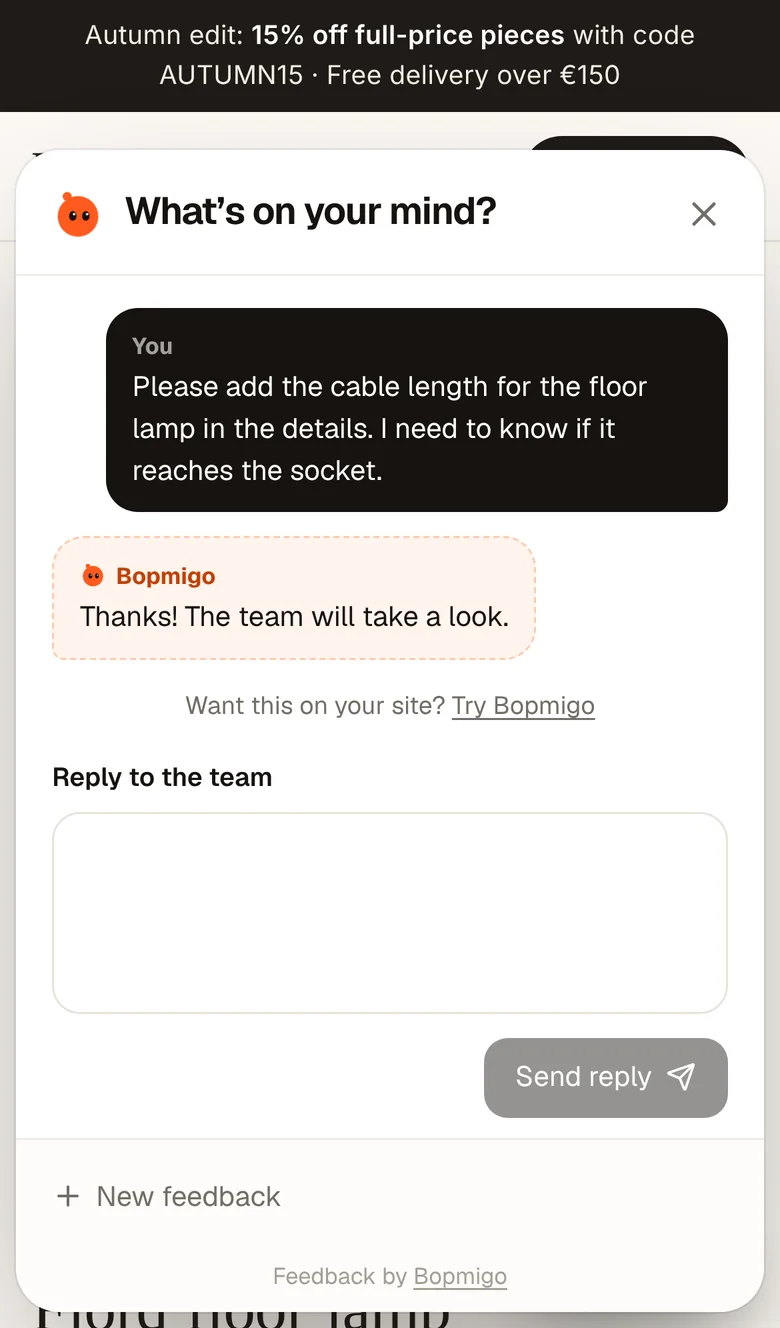
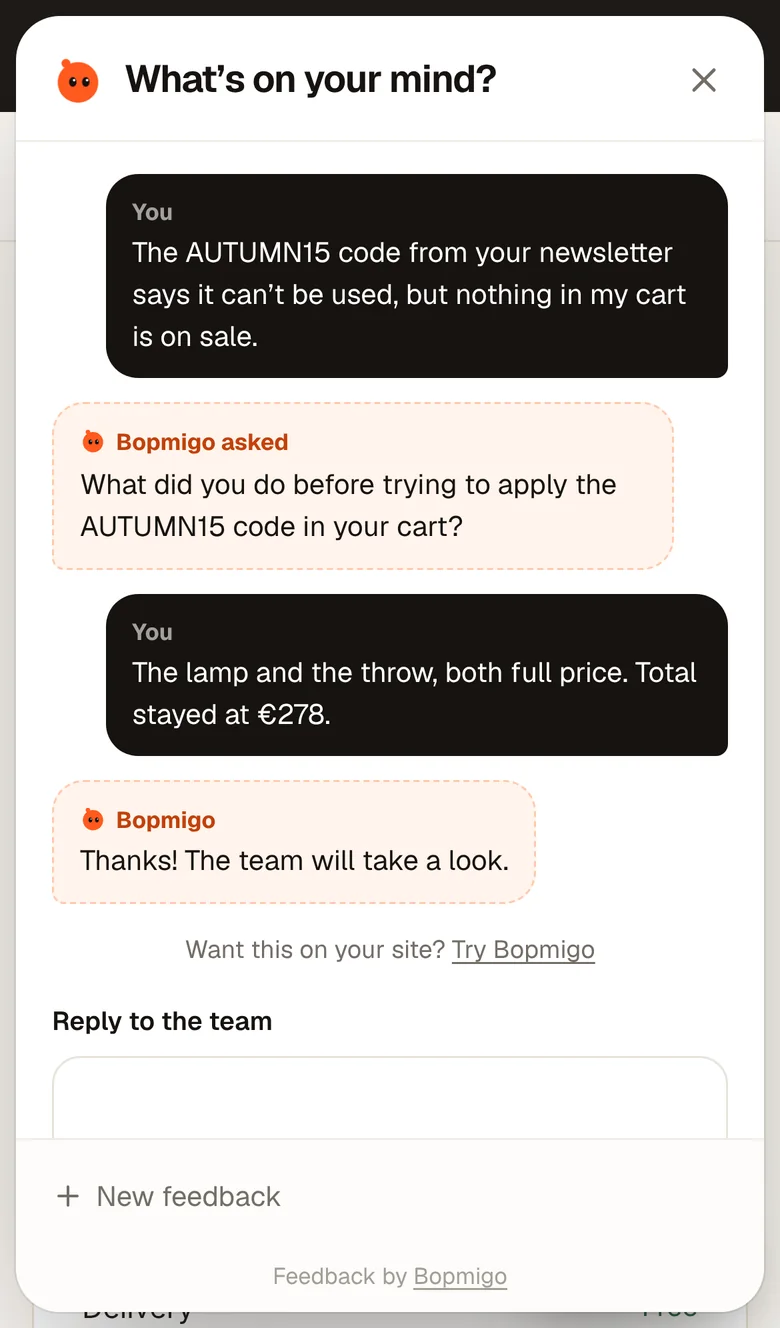
- Clients open Feedback on the page and write a line, on desktop or phone.
- You get the page, device and a screenshot with every note.
- When a note is missing what they expected, Bopmigo asks them a short follow-up.
- You reply where they reported, and both of you can see what’s done.
Make sign-off easier
Agree up front that feedback goes through the Feedback button during the review window. At the end of the round, every note has a status, so “is everything done?” has a clear answer.
Start free for 7 days, no card needed. Add it to a client site or start your trial.
Do clients need an account?
No. They report from the site.
Does it work on Webflow, Framer or WordPress?
Yes, with the custom code box. See the install guides.
Can I use one plan for several clients?
Yes. Pro covers 3 sites; Team covers 15 with unlimited teammates.