In-app feedback for indie iOS developers
You are the support team, the QA team and the developer. Get reports you can act on without email back and forth, at an indie price.
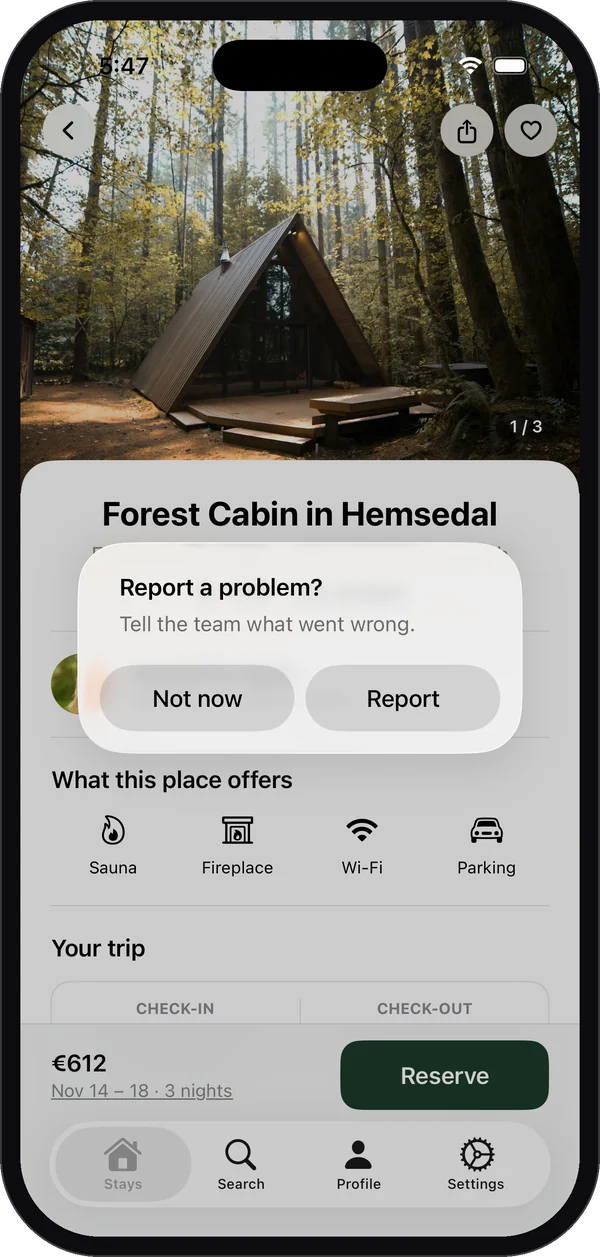
Short answer: add a feedback option inside your app so testers and users can report from the screen they’re on, with the device and app version attached. You spend your time fixing, not asking “which iPhone, which version?”, and you reply inside the app.
The indie problem
- A one-star review that says “crashes” and needs a public response plus a private way to collect details.
- TestFlight feedback that needs a continuing conversation after you read its screenshot, device and build details.
- Support emails that take three rounds to get a version number.
What you get
| With Bopmigo | |
|---|---|
| Reporting | From your own button, or right after a screenshot for testers |
| Context | Screen, device, iOS and app version, screenshot with private fields covered |
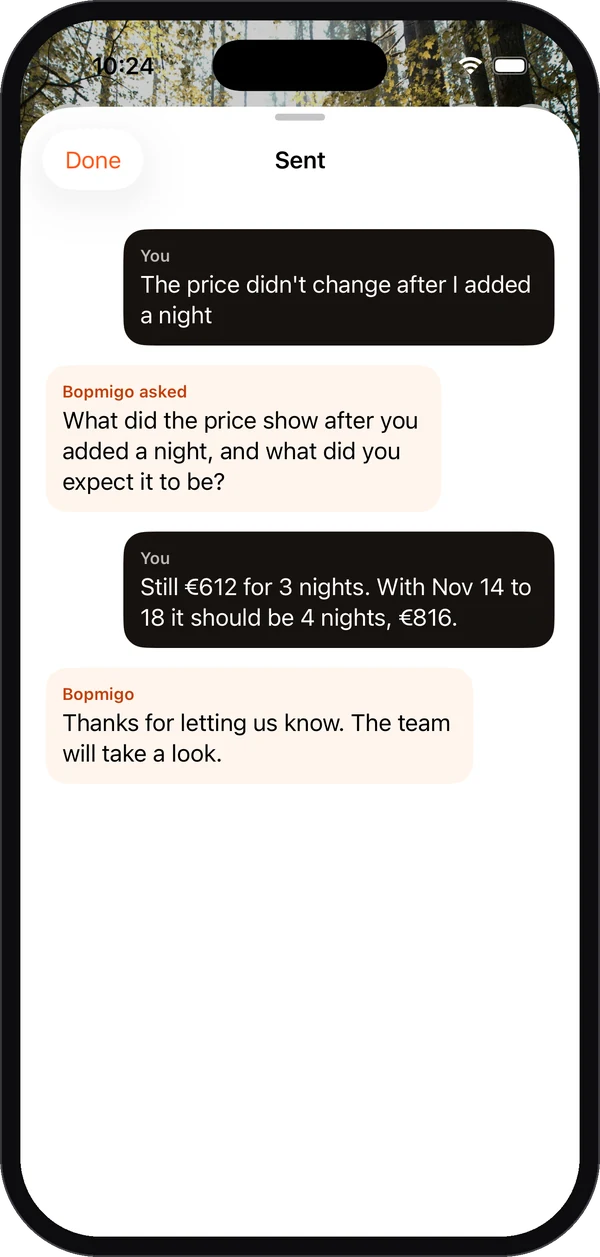
| Missing details | A short follow-up, asked while they’re still there |
| Replies | They see your answer inside the app |
| Price | From $19/month, iPhone apps included on every plan |
Start free for 7 days, no card needed. Add the Swift package or start your trial.
Will App Store users be interrupted?
No. By default the screenshot offer only appears in Xcode and TestFlight builds.
Does it work in SwiftUI and UIKit?
Yes, iOS 16 and later.