Support tickets keep arriving with missing information
Every ticket that needs a “which page? which browser?” reply doubles the time to fix it. How to collect the context automatically, what to ask when you must, and replies that don’t annoy customers.
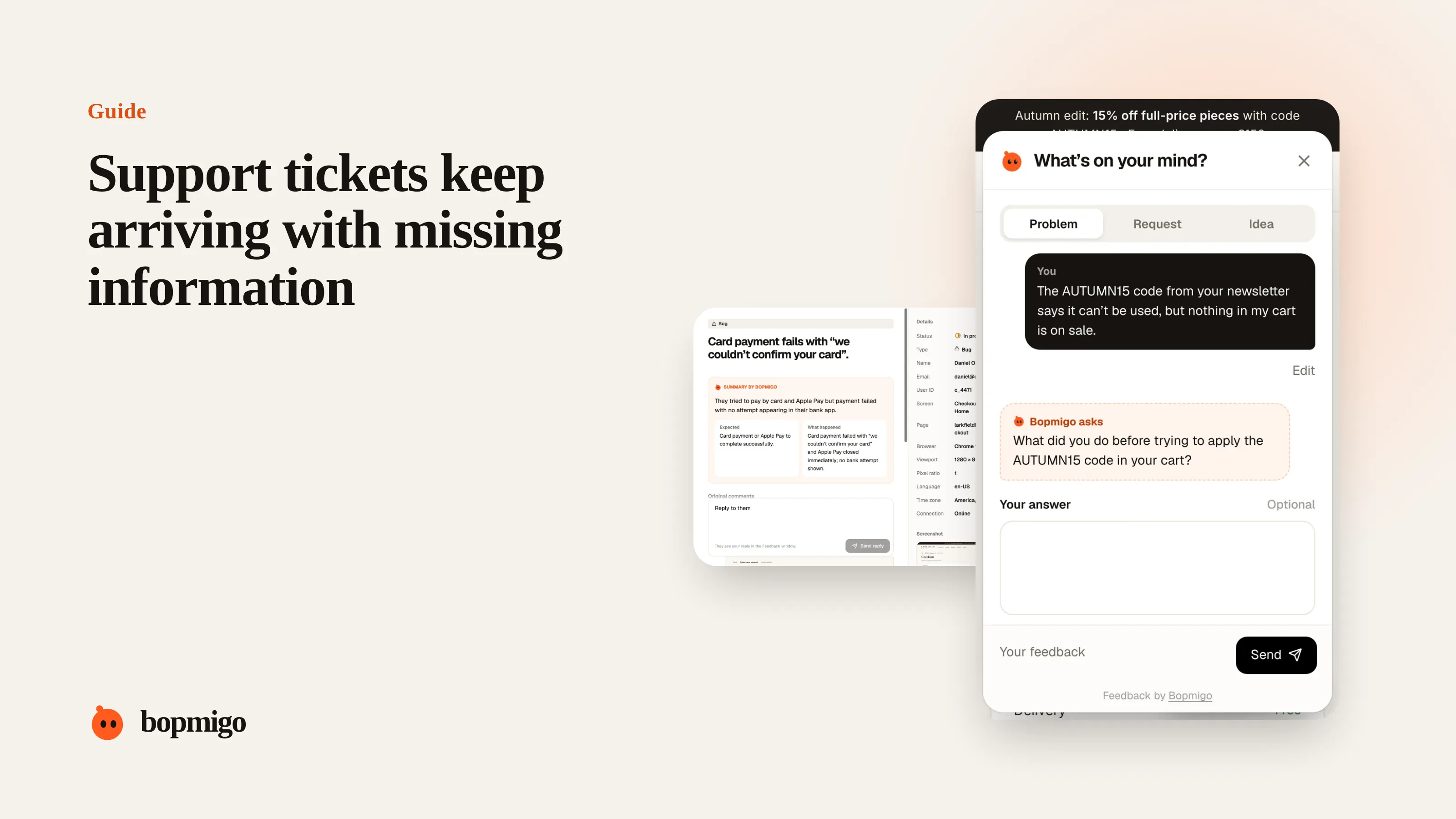
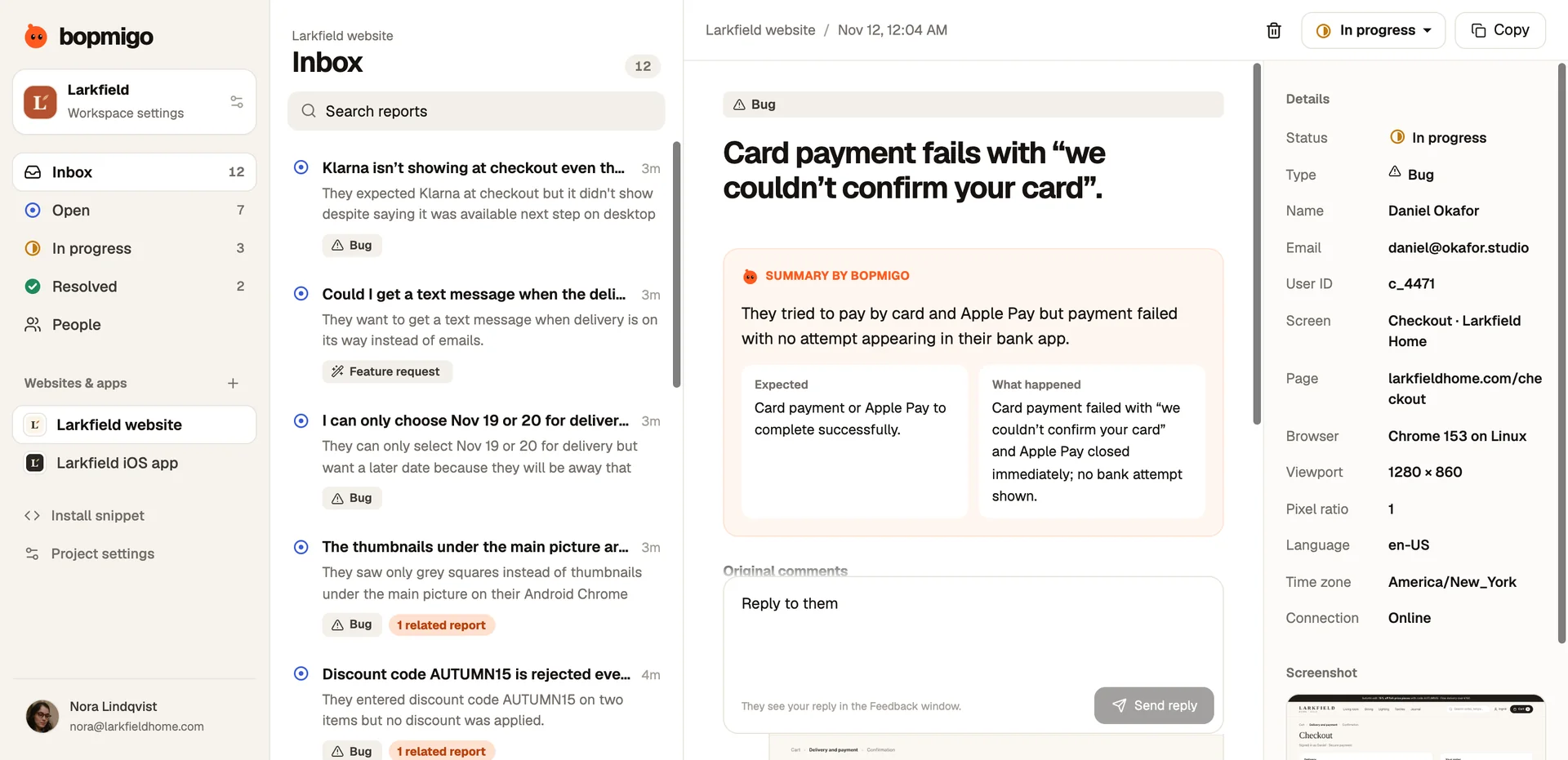
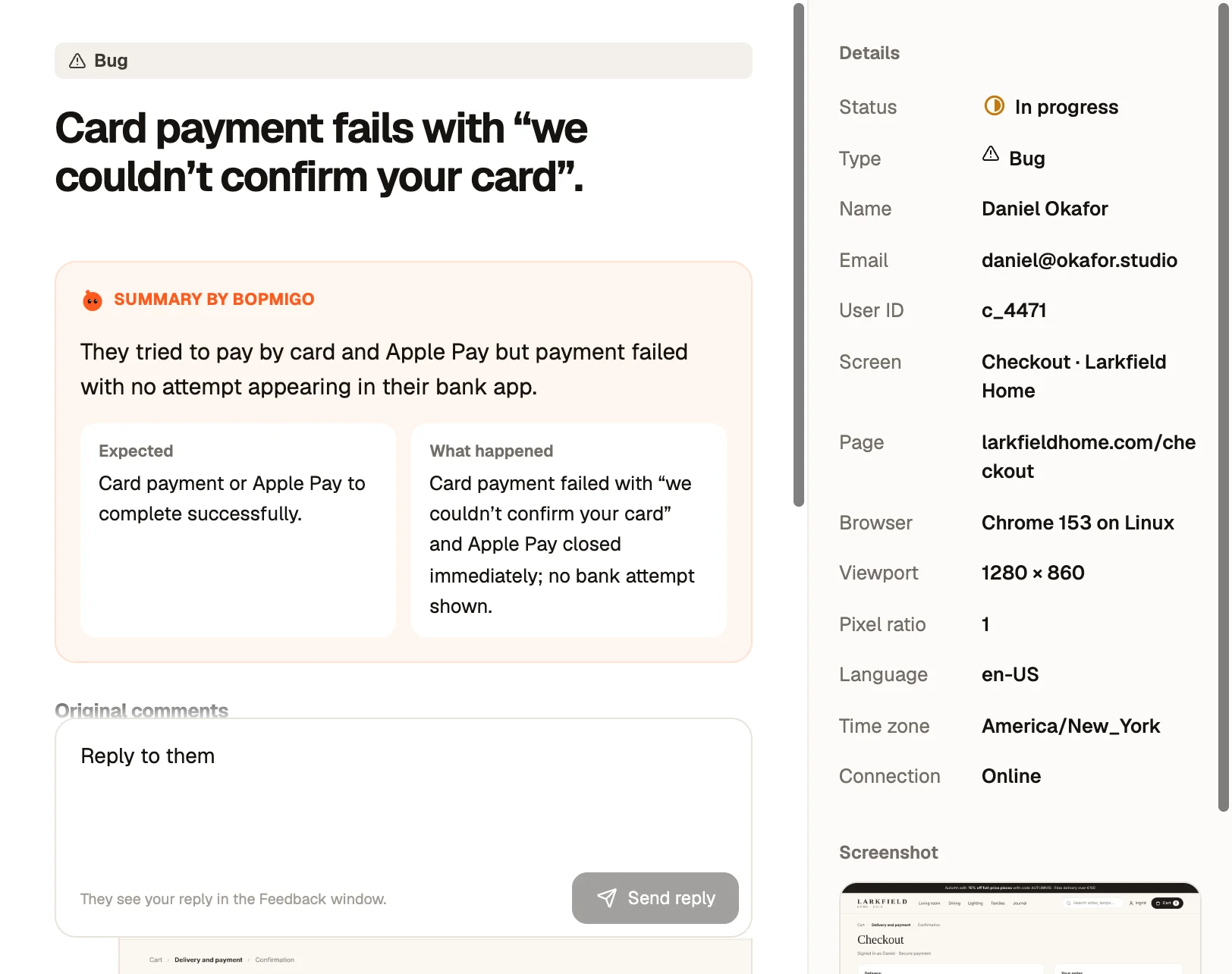
Short answer: stop relying on customers to describe the technical details. Collect the page, device, browser and a screenshot automatically when they report from inside your product, ask a single follow-up for what only they know (what they expected, what they did), and save your support team’s questions for the rare cases that still need them.
What tickets usually miss
| Missing detail | Who knows it | Best way to get it |
|---|---|---|
| Page or screen | The product | Capture it automatically |
| Device, browser, version | The product | Capture it automatically |
| What they saw | The screen | A screenshot, attached for them |
| Who they are and their plan | Your system | Pass it from the signed-in session |
| What they expected | Only the customer | Ask a short follow-up |
| What they did just before | Only the customer | Ask a short follow-up |
Four of the six can be collected without asking anything. That is where most of the back-and-forth goes.
The cost of one missing detail
A ticket that needs a clarifying question waits for the customer to reply, often a day or more, then waits again in the queue. A bug that could have been fixed in an hour takes a week. Multiply by every ticket and that is where support time goes.
If you must ask, ask well
- Ask one question, the one only they can answer.
- Say why: “So we can reproduce it, what did you expect to happen?”
- Show you’ve looked: “We can see you were on the invoices page in Safari.”
- Offer a one-tap answer if you can: “Did it show an error, or nothing at all?”
Route reports to support with context attached
- Have reports land where your team works, by email if that is your support inbox.
- Copy reports into your helpdesk or tracker with the summary and conversation.
- Reply where the customer reported, so they don’t need to dig through email.
Templates for support macros
- Acknowledge with context: “Thanks, we can see this happened on the checkout page on your iPhone. We’re looking now.”
- One question: “To fix this quickly: what did you expect to happen when you pressed Pay?”
- Fixed: “This is fixed now. Could you try again and let us know if it works?”
Where tickets come from, and what they lack
| Channel | Usually includes | Usually missing |
|---|---|---|
| A description, sometimes a screenshot | Page, device, account, what they expected | |
| Contact form | Name, email, a message | Everything technical |
| Chat | A quick back-and-forth | A record your developers can use |
| Phone | Lots of detail, spoken | Anything written down accurately |
| In-product feedback | Page, device, screenshot, their words | Only what they expected, if they didn’t say |
A worked example
A support team receives “Invoices won’t download” by email. Without context, the reply asks which invoice, which browser and whether there is an error. The customer answers two days later. With an in-product report, the same complaint arrives with the invoices page, Chrome on Windows, a screenshot of a blank tab and the customer’s plan. The agent spots that blank downloads only happen on one plan, passes it to a developer the same morning, and replies to the customer with an expected fix date.
Measure the back-and-forth
- Count tickets that needed at least one clarifying question.
- Note which detail was missing each time.
- After changing how people report, compare the count for a month.
- Track time from first message to first useful reply, not just to first reply.
Help your support team help developers
When a ticket becomes a bug, hand it over in a consistent shape: one line describing the problem, the page and device, what the customer expected, and the customer’s own words. Developers can start immediately, and support can tell the customer what is happening.
Questions to ask about your own support
- What share of tickets need a clarifying question before work starts?
- Which missing detail do you ask for most?
- How many days does the average back-and-forth add?
- Do customers report from inside the product, or only by email?
What not to do
- Don’t add required fields to your contact form. Fewer people will write.
- Don’t send a technical checklist to non-technical customers.
- Don’t make the customer repeat information they already gave.
Should support or developers ask the follow-up?
Whoever replies first. One question from support is better than two from different people.
Can context be collected for email tickets?
Not automatically. That’s why in-product reporting is worth adding alongside email.
Contact form or in-product reporting?
| Contact form | In-product reporting | |
|---|---|---|
| Page and device | Asked, often wrong | Captured automatically |
| Screenshot | Rarely attached | Taken for them |
| Who they are | Typed by hand | Known if signed in |
| When they report | After leaving the page | On the page |
| Good for | Sales and account questions | Bugs, confusion, requests |
Roll it out without disrupting support
- Keep your contact form for account and sales questions.
- Add in-product reporting for problems, starting on your busiest pages.
- Route reports to the same inbox your team already uses.
- After a month, compare how many reports needed a clarifying question.
How Bopmigo helps
Customers report from inside your website or app, and reports arrive with the page, device, browser and, where available, a screenshot. If what they expected or what they did is missing, Bopmigo asks a short follow-up while they are still there. Reports can go to your support email, and you can copy any report into your helpdesk. Support and bug reports.