Users tap Subscribe, then back out at payment: what to check
People show intent, open the payment sheet and cancel. Common causes on the App Store, Google Play and web checkouts, what to test first, and how to ask the people who backed out.
Short answer: when people tap Subscribe and then cancel the payment sheet, the usual causes are a price or billing period that surprises them, unclear trial terms (“will I be charged today?”), a missing payment method or a sign-in prompt, or doubts the paywall didn’t answer. Make the price and trial terms impossible to misread before the sheet opens, test the purchase on a real device, and ask people who backed out what made them hesitate.
Founders in our research described exactly this: “100 installs, 6 tapped subscribe, 0 finished paying” and “people tap Subscribe on my app, then back out at the payment sheet. What would you test first?”. The intent is there; something at the last step stops it.
What makes people cancel at the last step
- The real price is a surprise. The paywall showed a monthly equivalent; the sheet shows a yearly charge.
- Trial terms are unclear. People aren’t sure when they’ll be charged or how to cancel.
- A sign-in or password prompt. On the App Store and Google Play, a forgotten password or missing payment method ends the purchase.
- Currency or tax differences. The final amount differs from what the paywall suggested.
- Second thoughts. The paywall didn’t answer “is this worth it for me?”
- A technical problem. The purchase fails, hangs or the product isn’t restored afterwards.
What to test first
- 1
Make the paywall match the sheet
Show the exact amount that will be charged and how often, next to any monthly equivalent.
- 2
Spell out the trial
“Free for 7 days, then $X per year. Cancel anytime in Settings.” Plain words, near the button.
- 3
Test on real devices and accounts
Use sandbox and test accounts on iPhone and Android, in different regions, and check the product unlocks afterwards.
- 4
Check failures in your payment logs
Separate “cancelled by user” from errors. Errors are bugs, not hesitation.
- 5
Offer a cheaper or shorter option
A monthly plan next to the yearly one gives hesitant people a smaller step.
Ask the people who backed out
When someone dismisses the payment sheet, they’re still in your app. That’s the best moment to ask, gently, what made them hesitate. Keep it optional and short, offer a few common reasons plus a free text box, and never block them from continuing.
- “Price higher than expected”
- “Not sure how the trial works”
- “Want to try it more first”
- “Something didn’t work”
- “Other” with a line to write in
Paywall wording that reduces surprises
| Unclear | Clear |
|---|---|
| “Start free trial” | “Try free for 7 days, then $29.99 a year” |
| “Only $2.49/month” | “$29.99 billed yearly (about $2.49 a month)” |
| “Cancel anytime” | “Cancel anytime in Settings › Apple ID › Subscriptions” |
| “Unlock everything” | A short list of what’s actually included |
Platform details to check
- App Store: test with sandbox accounts, check introductory offers display correctly in each storefront, and confirm Restore Purchases works.
- Google Play: test with license testers, check free trial eligibility for returning users, and confirm the subscription appears in Play Store subscriptions.
- Web checkout: test cards that need extra verification, check taxes and currency at the final step, and confirm the receipt email arrives.
- All: check the product unlocks immediately after purchase, including after the app is closed and reopened.
Reading your funnel
Track three numbers separately: people who see the paywall, people who tap to buy, and people who complete payment. A big drop between seeing and tapping is a value or price problem. A big drop between tapping and completing is a payment-step problem: wording, surprises, sign-in or a bug. One founder in our research saw 6 of 100 installs tap subscribe and none complete. That pattern says to start with the payment step: check for errors, pricing surprises and sign-in problems, then ask the people who stopped what held them back.
A short checklist before you change pricing
- The paywall shows the exact amount and period the store will charge.
- Trial length and the first charge date are in plain words near the button.
- A monthly option is shown next to yearly.
- Restore Purchases is visible and works.
- Purchases work on a test account in at least two regions.
- The product unlocks immediately, even after reopening the app.
- There’s a way to ask a question from the paywall.
If all of these are true and people still back out, it’s more likely a price or value question, and that’s when asking them matters most.
Questions people ask at this step
Will I be charged today?
Answer it on the paywall before they ask.
Can I cancel easily?
Say exactly where, in one line.
Does it work on my iPad or my partner’s phone?
If Family Sharing or other devices are included, say so.
How Bopmigo fits
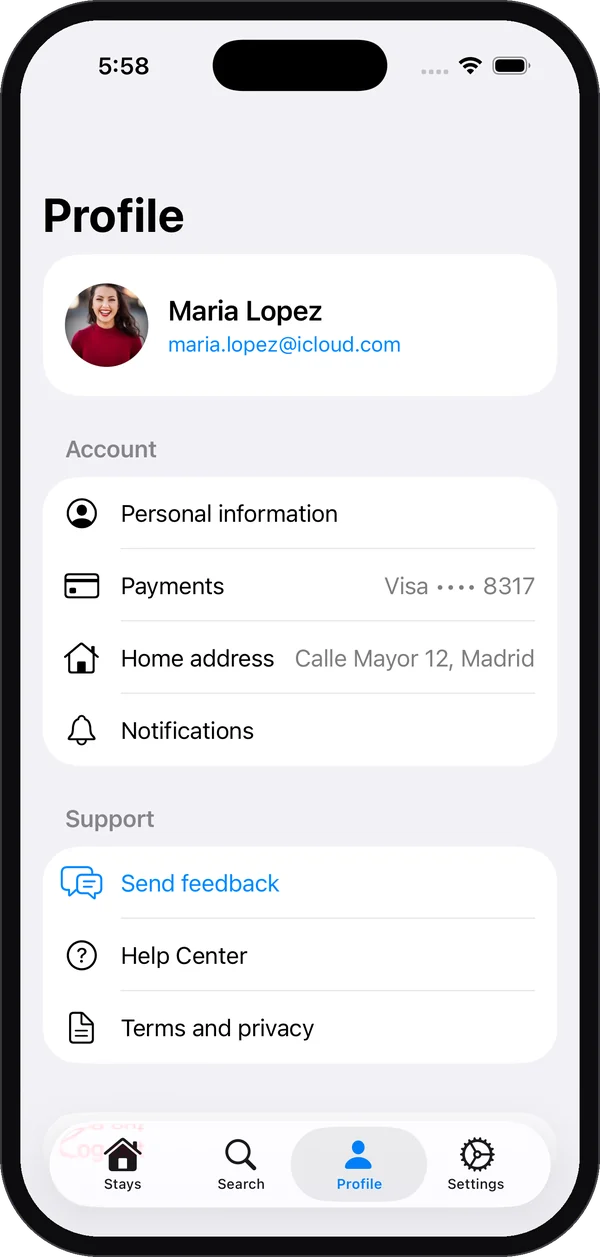
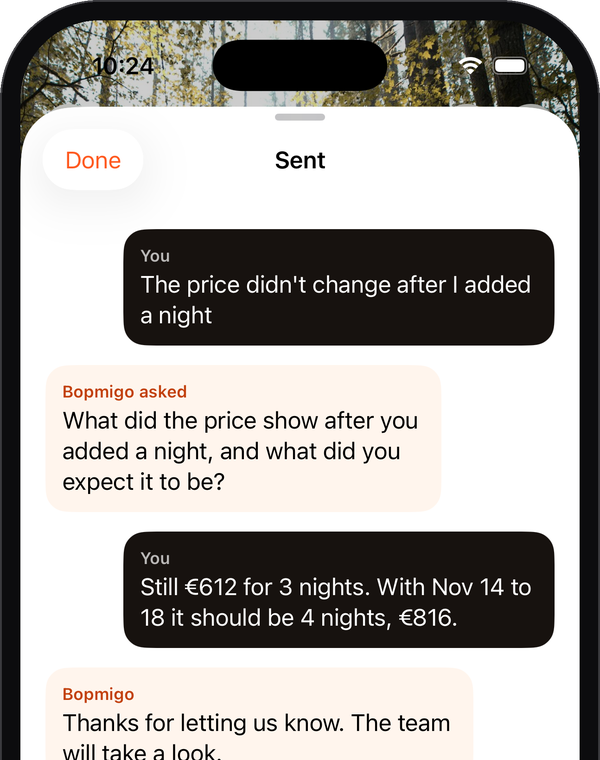
Bopmigo lets people tell you what’s on their mind from inside your iPhone app, Flutter app or web app, in a sentence. You can open it from your own button, for example a “Questions about pricing?” link on the paywall. Reports arrive with the screen, device and app version, so you can see whether a problem is a failed purchase or a doubt about price, and reply inside the app while they’re still deciding.