Users leaving after an update: how to find out what broke for them
An update ships, ratings drop and some users stop opening the app. The usual causes, how to spot them in the first 48 hours, and how to hear from the people affected.
Short answer: after an update people leave because something they relied on broke, moved or got slower, or because the update introduced a bug on devices you didn’t test. The fastest way to find out is to watch the first 48 hours closely: crash rates, reviews mentioning the new version, and reports from inside the app. Make it easy for people to tell you what changed for them, and reply quickly.
In our sample of recent 1 and 2 star App Store reviews of smaller apps, “update” was one of the most common words, often in reviews like “since the last update it won’t load” or “the update deleted my data”. Founders echo it: one wrote that users who love an update say nothing, while users who hate it simply leave.
What usually goes wrong
- A bug on devices or OS versions you didn’t test. Older phones and the newest OS release are common gaps.
- A familiar feature moved or disappeared. Regular users notice immediately.
- Data or settings lost during migration. The most damaging kind of update bug.
- Slower launch or new loading screens. Small delays feel big to daily users.
- A new paywall or price change. Users who feel something was taken away leave loudly.
The first 48 hours after an update
- 1
Roll out gradually
Use phased release on the App Store or a staged rollout on Google Play, so a problem reaches fewer people.
- 2
Watch crashes and errors by version
Compare with the previous version, not with zero.
- 3
Read every new review
Reviews mentioning the new version number or “update” are the early warning.
- 4
Watch in-app reports
Reports from inside the app arrive before reviews, and include the version and device.
- 5
Be ready to pause or fix fast
Pausing a phased release is far cheaper than recovering ratings.
Tell people what changed
- Write release notes in plain words: what changed and why.
- If something moved, say where it went.
- If something was removed, explain honestly and offer an alternative.
- When a problem is fixed, say so in the next release notes and thank whoever reported it.
What reviews after a bad update look like
In our sample of recent 1 and 2 star reviews describing a problem in smaller apps, about one in five mentioned an update (260 of 1,291 reviews, using the same sample described in why users leave without feedback). The common phrases were “since the update”, “after the latest update”, “update broke” and “won’t open after updating”. These reviews often come from long-time users, which makes them more damaging: they lower your rating and they’re believable to people reading them.
A post-update checklist
| Check | Before release | First 48 hours |
|---|---|---|
| Oldest supported device and OS | Install and run the main journeys | Watch crash reports for those devices |
| Newest OS version | Test on the latest release | Watch reports mentioning the OS |
| Upgrade from the previous version | Install old version, add data, update | Watch for “lost” or “gone” in reports |
| Sign-in and purchases | Sign out and in, restore purchases | Watch login and purchase errors |
| Moved or removed features | Note them in release notes | Watch “where is” reports |
When a bad update is already out
- 1
Pause the rollout
If you used a phased or staged release, stop it while you investigate.
- 2
Acknowledge it publicly
Reply to reviews with a short, honest note: you know, you’re fixing it, roughly when.
- 3
Reply to every report
Tell people what to do in the meantime if there’s a workaround.
- 4
Ship the fix and tell people
Mention it in release notes and reply to the people who reported it.
Handled quickly and openly, a bad update can even build trust. Users remember that you listened and fixed it.
Asking users before you change something big
The best time to hear that a change will upset people is before it ships. For larger changes (a redesign, a moved feature, a new paywall), invite a group of regular users to a TestFlight or beta build first, and ask them what feels worse, not just what feels better. Regular users are the ones most likely to leave after a change, and the ones most willing to tell you before it happens.
Replying to reviews after a bad update
Thanks for letting us know, and sorry. Version {x} broke {feature} for
some {devices}. A fix is in review now. In the meantime, {workaround}.
If you can, use “Report a problem” in Settings so we can confirm the fix
works for you.
Keep replies short, specific and honest. Update them once the fix is live; many people update their rating when they see the problem was taken seriously.
Hear from affected users in the app
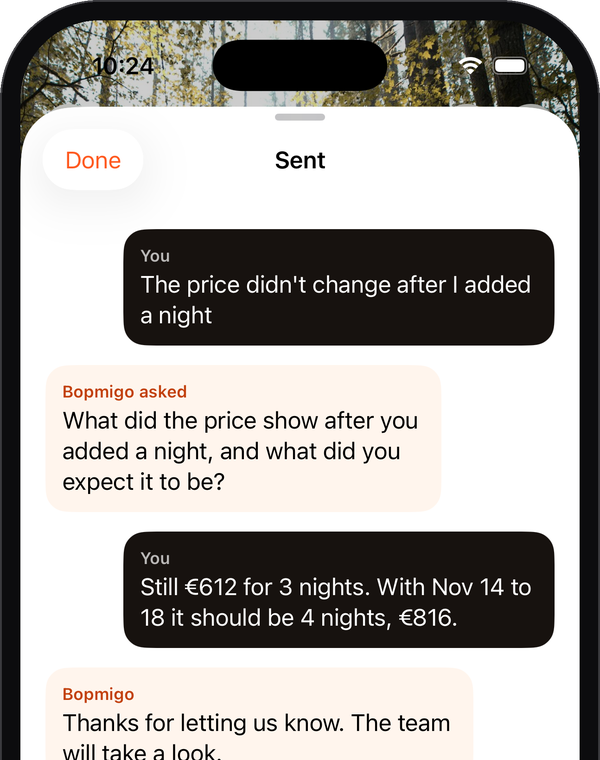
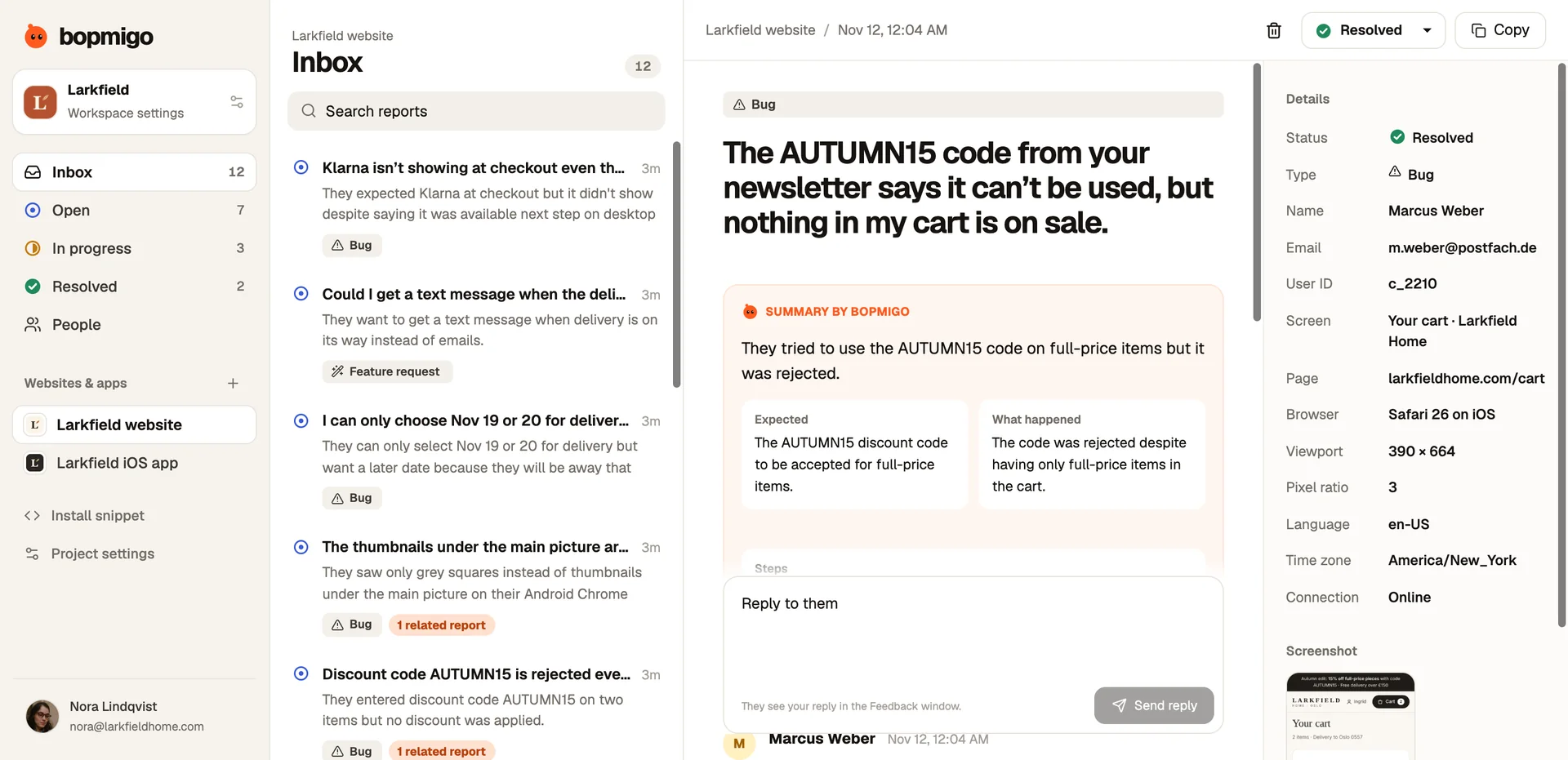
Bopmigo lets people report from inside your iPhone or Flutter app in a sentence. Each report includes the app version, device and screen, so you can tell immediately whether a problem is new in this update and which devices it affects. Reports about the same problem are grouped, so a regression shows up as one growing group instead of scattered emails, and your reply reaches people inside the app.