What is bug triage? Definition and examples
Reviewing incoming bug reports to decide which are real, how serious they are, who owns them and what to fix first.
Bug triage: Reviewing incoming bug reports to decide which are real, how serious they are, who owns them and what to fix first.
Triage usually checks: can we reproduce it, how many people does it affect, how bad is it, and is it a duplicate.
Clear reports make triage faster; grouping duplicates shows which problems affect the most people.
Example
| Question | Decision |
|---|---|
| Can we reproduce it? | Fix, or ask for details |
| Is it a duplicate? | Merge with the main report |
| How bad, how many? | Set priority |
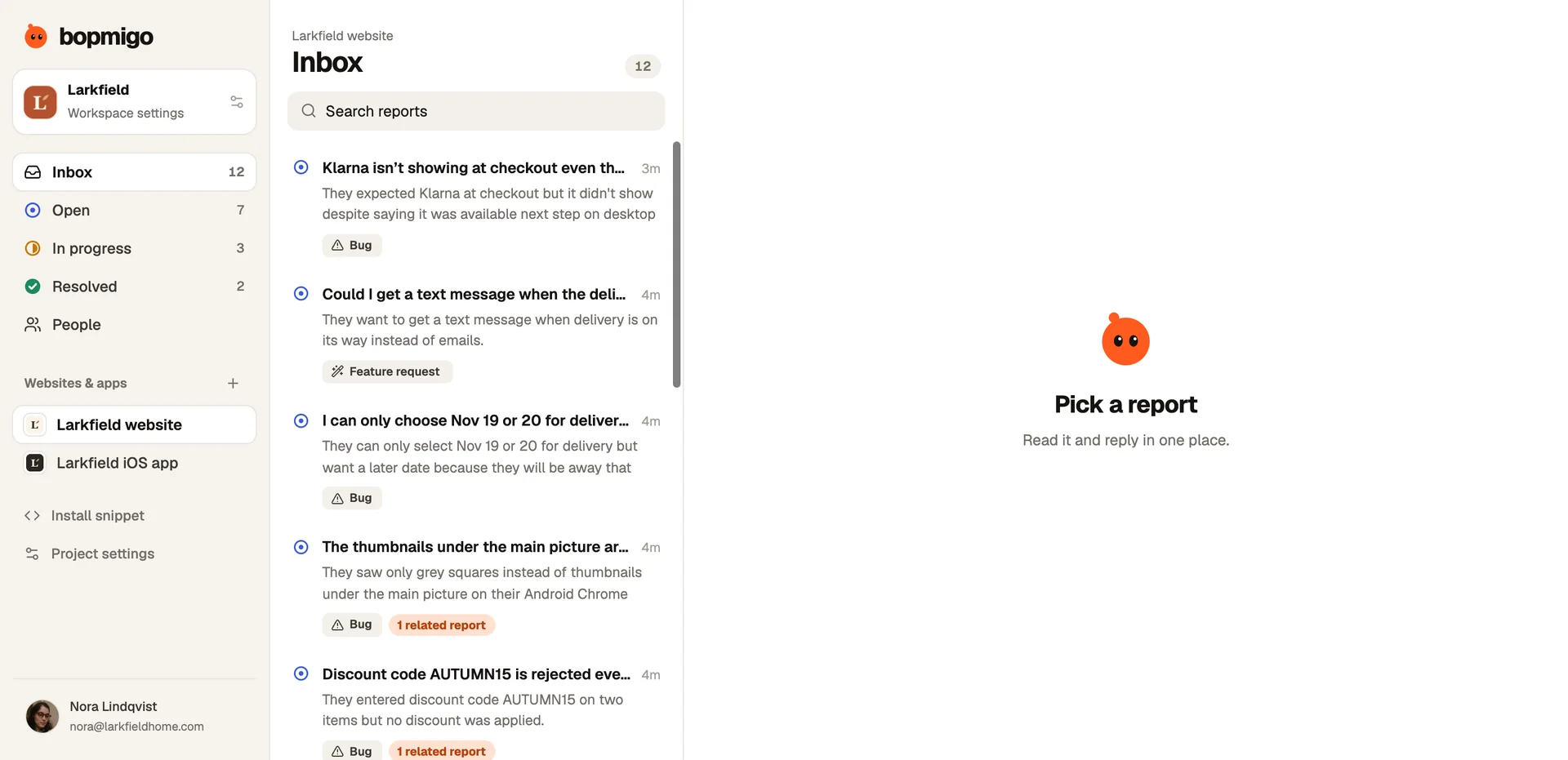
A simple triage routine
- 1
Read new reports
Skim the summary of each. Merge duplicates and mark related ones.
- 2
Decide severity
Does it block payment or sign-in? How many people does it affect? Is there a workaround?
- 3
Assign or park
Urgent issues get an owner now. Everything else goes in the queue with a status.
- 4
Ask for what is missing
If a report can’t be acted on, reply with a specific question instead of parking it.
A severity scale
| Level | Example | Act |
|---|---|---|
| Critical | Nobody can pay | Now |
| High | A discount code fails for some customers | This week |
| Medium | Thumbnails don’t load on one browser | Soon |
| Low | A typo in a footer | When convenient |
Where Bopmigo fits
Bopmigo summarizes each report and groups similar ones, so triage starts with the clearest version.
Questions
How often should we triage?
Daily for a few minutes beats a long weekly session.
Who should triage bugs?
One person per day or week, so reports don’t wait for a meeting.
What makes triage slow?
Incomplete reports. Each one that needs a back-and-forth takes far longer than one that arrives complete.