How to ask users for more detail without annoying them
The difference between a question people answer and one they ignore. What to ask, when, how many times, and examples for bugs, requests and confusion.
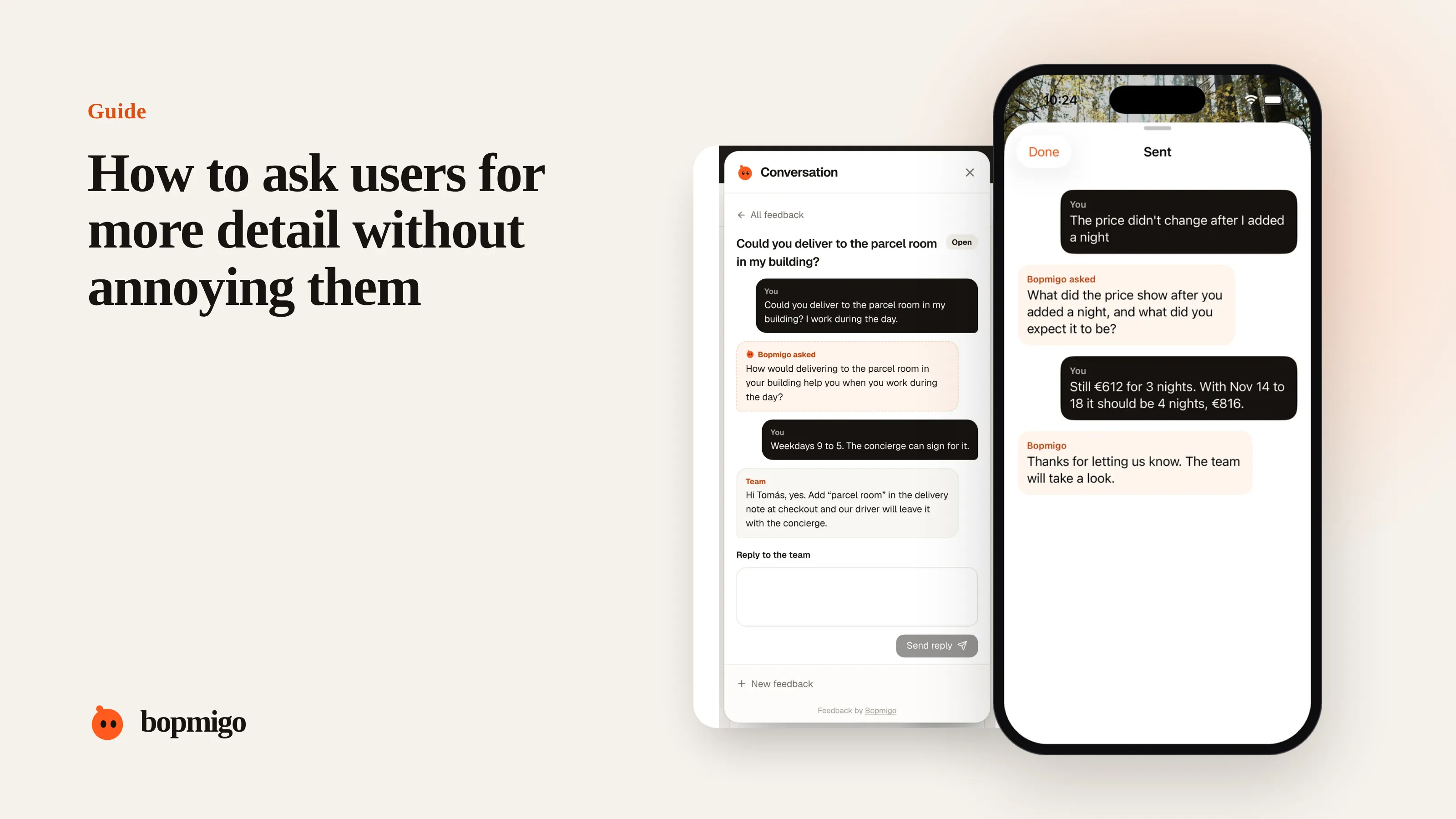
Short answer: ask one question, about what only they know, while they are still in the moment, and make it easy to skip. “What did you expect to happen?” and “What did you do just before?” get answered. Lists of technical questions sent by email a day later don’t.
This guide is about writing the follow-up question. For replying to one “it doesn’t work” message from start to finish, see how to reply when a customer says it doesn’t work.
What makes people answer
| Answered | Ignored |
|---|---|
| One question | A list of five |
| About their goal or what they saw | About browsers and versions |
| Asked right away, on the page | Asked by email the next day |
| Plain words | Jargon like “steps to reproduce” |
| Optional | Required to submit |
Questions that work
| Situation | Ask |
|---|---|
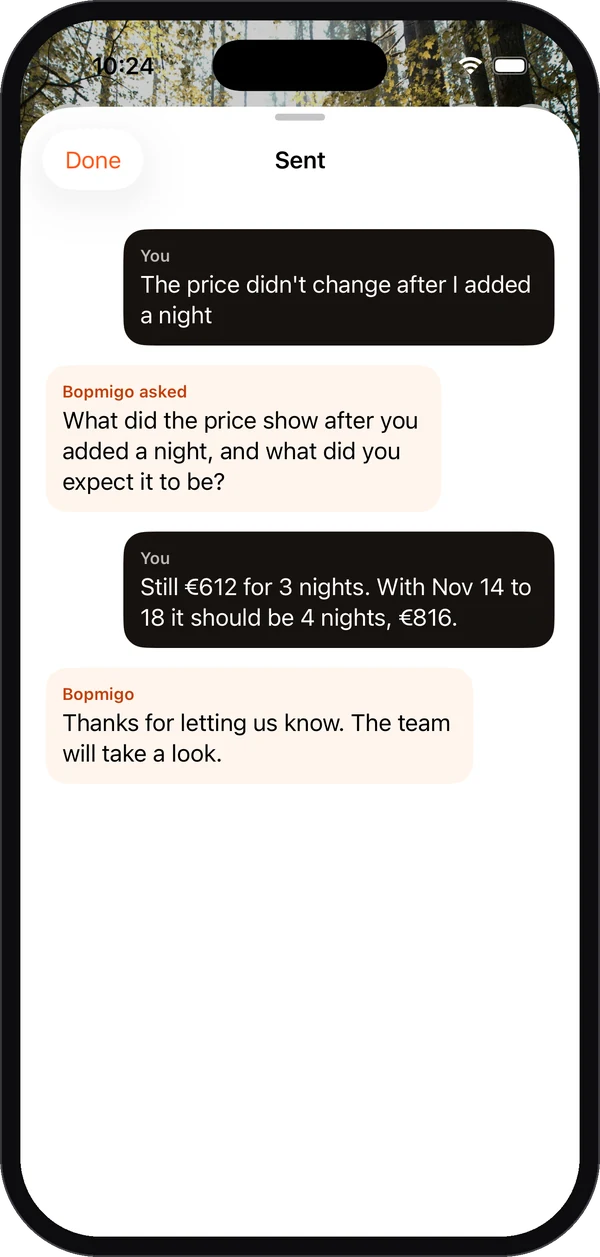
| Something broke | “What did you expect to happen?” |
| Not sure how they got there | “What did you do just before this?” |
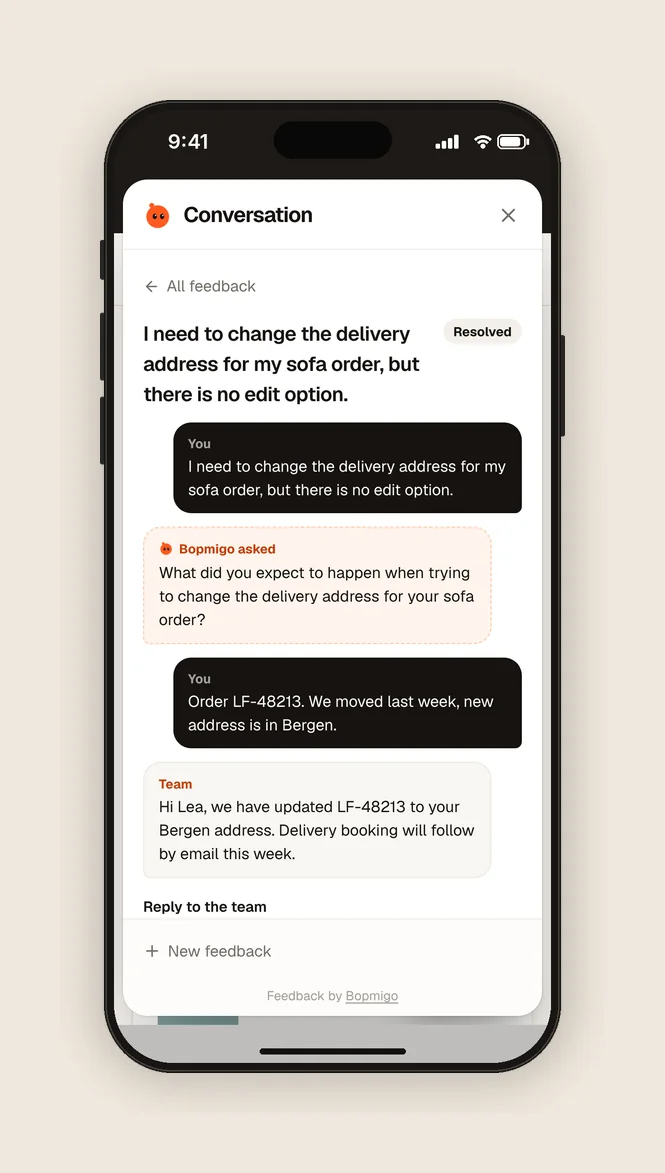
| A feature request | “What are you trying to get done?” |
| Confusion | “What were you looking for?” |
| A complaint about speed | “Does it happen every time, or only sometimes?” |
| A request that seems small | “How often would you use this?” |
Questions to avoid
- “Can you provide steps to reproduce?” Most people don’t know what that means.
- “What browser and version are you using?” Collect it yourself.
- “Can you send a screenshot?” Take it for them.
- “Is this still a problem?” after weeks of silence. Fix it or say you can’t.
Timing
The best moment is right after they report, while the problem is on their screen. Within minutes, most people still remember what they did. After a day, they have moved on and may not reply at all. If you can only ask later, make it personal and short, and say why you need it.
How many times to ask
Once, usually. If the answer still leaves you guessing, look at what you have (page, device, screenshot), try to reproduce, and only ask again if you are close. Every extra question costs goodwill.
A worked example
Someone reports “the export is wrong”. A poor follow-up asks: “Which browser? Which export? Can you send the file and steps?” A good one asks only: “What did you expect to see in the export?” They answer: “All twelve months, it only has the last three.” The team now knows it’s a date range problem in one reply, and already has the page and browser from the report.
Follow-up questions by product type
| Product | Useful question |
|---|---|
| Online store | “Which product were you looking at?” |
| Booking site | “Which dates did you choose?” |
| SaaS app | “What were you trying to get done?” |
| Mobile app | “What did you do just before this happened?” |
| Client website | “What should it say or look like instead?” |
Make answering easy
- Ask right where they reported, so they don’t switch apps.
- Leave space for a short answer: a few words is enough.
- Make it optional. A skipped question still leaves you with a report.
- Thank them for answering, and tell them what happens next.
When the answer is still vague
Don’t ask a second question straight away. Try to reproduce with what you have. If you get close, ask something you can only answer with their help: “When you pressed Export, did you pick a date range?” Specific questions get specific answers.
Why most follow-ups go unanswered
The person has already done you a favour by reporting. A follow-up asks for a second favour, usually later, in a different place, about something they have half forgotten. Each of those makes them less likely to answer. Good follow-ups remove all three problems: ask right away, in the same place, about something fresh.
Questions to ask about your own follow-ups
- How long after a report do you usually ask a follow-up?
- How many questions does your typical follow-up contain?
- Are you asking for anything you could collect automatically?
- What share of follow-ups get an answer?
Should the follow-up be automatic or personal?
Both have a place. An automatic follow-up right away catches what is missing; a personal reply later shows a person is on it.
What if they answer with another vague sentence?
Try to reproduce first, then ask a yes or no question about what you see.
A question bank by area
| Area | Questions that get answers |
|---|---|
| Checkout and payment | “What happened when you pressed Pay?” · “Which payment method?” |
| Sign-in | “Do you see an error, or does it return to the login page?” |
| Search and filters | “What did you search for?” · “What did you expect to find?” |
| Forms | “Which field gave you trouble?” |
| Speed | “Does it happen every time, or only sometimes?” |
| Requests | “What would this help you do?” · “How do you do it today?” |
| Content | “What should it say instead?” |
Pick one per report. If your feedback tool lets you set questions per screen, put these on the screens they match. Screen-specific questions.
How Bopmigo helps
When a report is missing something important, Bopmigo asks a short follow-up right away, in plain words, and it can always be skipped. You can tell it what matters for your product and what to ask on specific screens. Better follow-up questions.