What is closing the feedback loop? Definition and examples
Telling people what happened with their feedback: that you read it, what you did, or why you didn’t.
Closing the feedback loop: Telling people what happened with their feedback: that you read it, what you did, or why you didn’t.
A reply tells the reporter what happened and gives them a chance to confirm whether their need was met.
Closing the loop can be a short reply when a fix ships, a release note crediting reports, or a personal message.
Example
Good news: this is fixed in today’s update. Could you try again and tell me if it works now?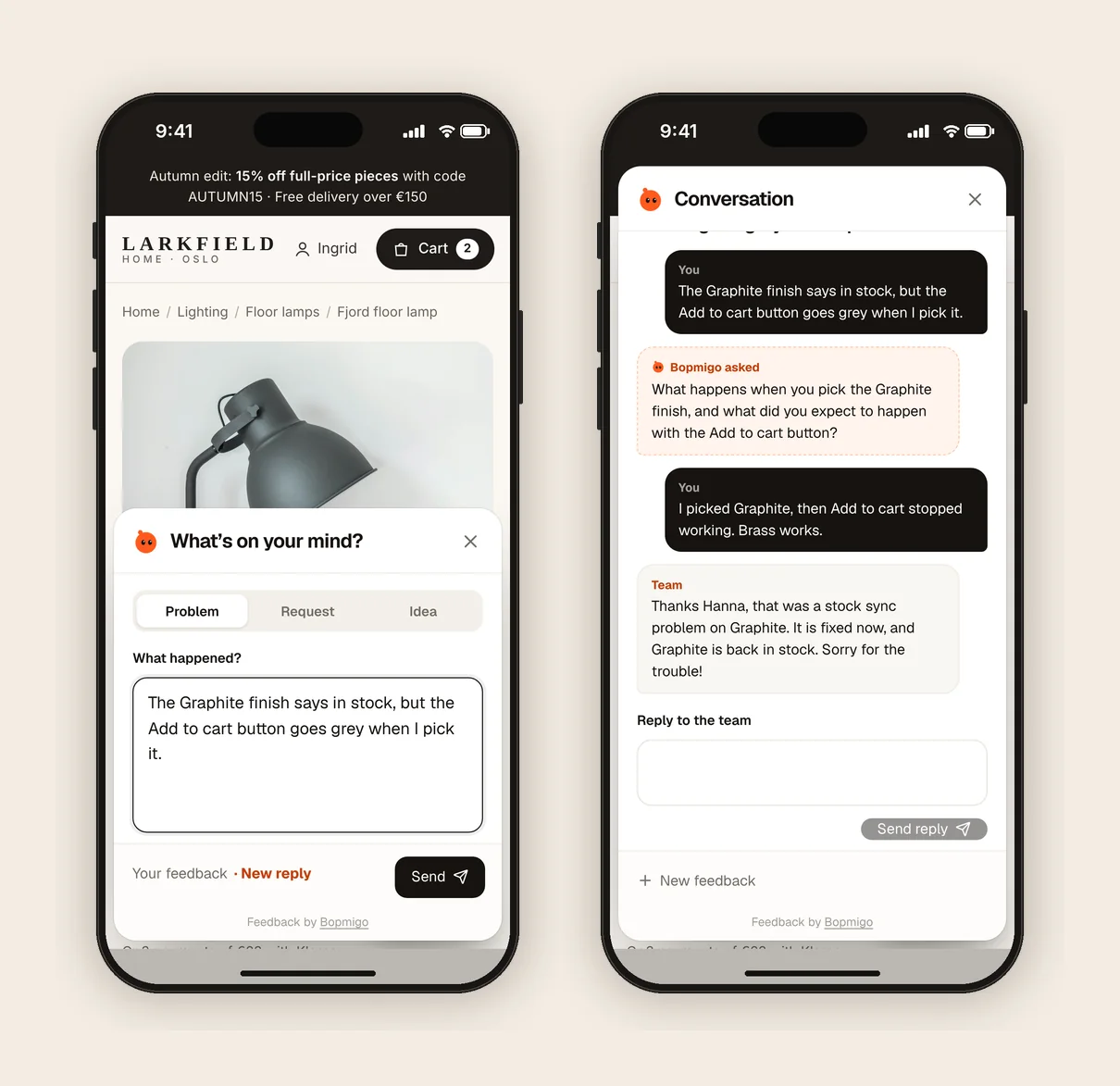
What closing the loop looks like
- 1
Acknowledge
A quick reply that you have it. Even “Thanks, we are looking into it” matters.
- 2
Decide
Fix it, plan it or decline it, and say which.
- 3
Follow up
When it is fixed or shipped, tell the person and ask them to try again.
Why it pays off
- People who hear back report again, and report better.
- A customer who sees their problem fixed is more likely to stay.
- The follow-up confirms the fix worked for them, not just in your test.
Example replies
- “Thanks for flagging the discount code. It now works on full-price items. Could you try again?”
- “We won’t add kroner prices this year, but your browser can convert prices on the page.”
Where Bopmigo fits
Your reply in Bopmigo appears where the person reported, in your site or app, or by email.
Questions
Do I need to reply to every report?
Ideally yes, even briefly. A one-line reply is enough.
How quickly should we close the loop?
Acknowledge within a day. The final follow-up can wait until the fix ships.
What if we decide not to act?
Say so kindly with a short reason. A clear no is better than silence.