Ask users for feedback inside your web app
Start a focused conversation with people using your website. Ask about a feature, clarify a request and keep their answer with the conversation.
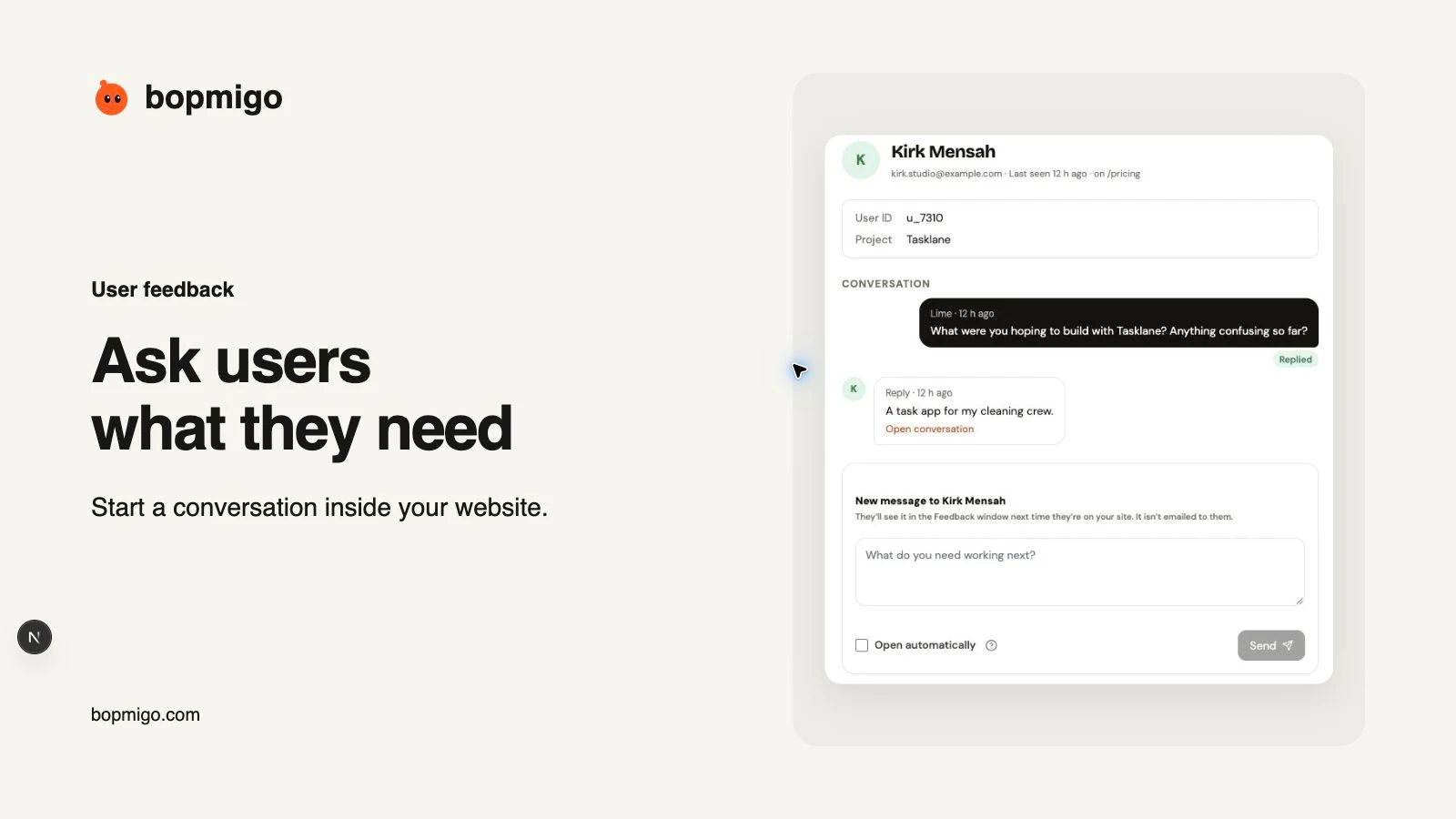
You do not have to wait for someone to report a problem before asking what they need.
Bopmigo lets your team message people through the Feedback window on your website. Ask a short question about their task, then read and answer their reply in your inbox.
Ask about a real task
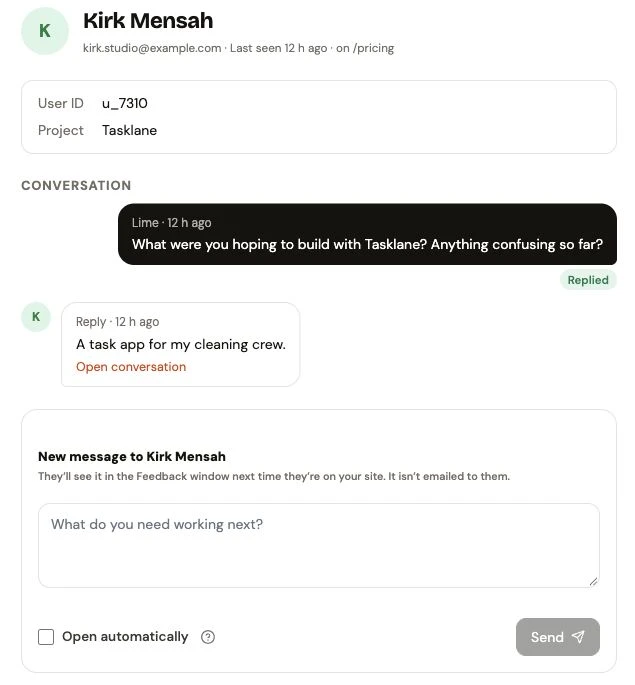
A useful question gives the person a starting point.
“What were you hoping to build with Tasklane? Anything confusing so far?” is easier to answer than “How can we improve?”
You can use the same approach to learn what a feature request means, ask whether a change helped, or offer help with unfinished work. Choose a question based on what you need to learn from the person’s task.
Keep the answer in the conversation
Consider an illustrative task-management app. Your team asks what the person wants to do with Tasklane. They answer that they need a task app for their cleaning crew.
The next question can focus on how the crew assigns and completes jobs. Your team can clarify that workflow before deciding what to change. Their words stay in the conversation for the team to review.
Example conversations for your team
Help someone finish getting started
In this Tasklane example, a person has told your team they are setting up the app for a cleaning crew. Ask, “What is the first thing you want your crew to do in Tasklane?”
They might reply, “We need to assign tomorrow’s jobs, but I haven’t added everyone yet.” Explain how to invite the crew, then ask whether they can assign the first job.
Understand a feature request
Someone asks for recurring jobs. Your team messages them, “For recurring jobs, do you need the same cleaner each time, or whoever is available?”
An example reply is, “The same cleaner most weeks, with someone else covering holidays.” Keep that scheduling need with the request so your team can evaluate the workflow.
Check whether a fix helped
After releasing a fix for an assignment problem, send, “We updated job assignments. Can you try assigning tomorrow’s job again and tell us what happens?”
If the person replies, “That worked. The cleaner can see it now,” keep the answer with the conversation and update the report’s status. Your team chooses who to message and sends each question from People.
Start with one website
Connect your website and pass the signed-in person’s identity through the integration. People includes those your site identifies and people who have already sent feedback.
Choose a person in People and send a short message. The Feedback button lets them know there is a message while they are on your site, or on their next visit. Their reply comes to your inbox.
Keep the first test simple. Send a message to a teammate, open it on the website, answer and check the inbox. Then choose a real question your team needs answered.
Install the website widget and follow the messaging guide.
How do I message users on my website without live chat?
Use Bopmigo to send a question while someone is using your site, or leave it ready for their next visit. Open People, choose an identified person and write the question. You can read and answer their response from your inbox without arranging a live conversation.
Begin with the default message indicator, then check the experience on your own test account before contacting customers. Follow the messaging setup.
Questions
Can I ask before someone sends feedback?
Yes, when your website identifies that person through the integration. Anonymous visitors who have not reported or been identified do not appear in People.
Is this available in native mobile apps?
This proactive messaging workflow is for websites and web apps. Bopmigo has separate Swift and Flutter integrations for collecting in-app reports and replying to them.
What if someone no longer visits?
Choose another appropriate way to reach them. An in-product message relies on them returning to the website. Compare in-app feedback and email.
Can the conversation lead to a feature request?
Yes. Ask what they need to achieve before choosing a solution. See how to group similar feature requests.