Why most app users quit on day one, and how to find out what stopped yours
Day-one drop-off is the biggest leak in most apps. The usual reasons on iPhone and Android, what to measure, and how to hear from people before they delete the app.
Short answer: on day one people decide whether your app is worth keeping in a few minutes. They leave when onboarding asks for too much before showing value, when permissions appear without a reason, when a paywall arrives before they understand the app, or when something crashes or freezes. Measure where first sessions end, test the first five minutes on a real device every release, and give people a way to tell you what went wrong without leaving the app.
Founders describe this vividly. In one post an app maker found that 58% of trial cancellations happened on day 0 or 1 and nearly a third of people who cancelled never used the main feature once. In our sample of recent App Store reviews of smaller apps, problems with loading, freezing and getting stuck were among the most common complaints, alongside crashes.
What makes people quit on day one
- A long onboarding before any value. Many screens of questions before the app does anything.
- Permission prompts without context. Location, notifications or contacts requested on launch, before people know why.
- An early paywall. A subscription screen before someone has seen what they’d pay for.
- Sign-up walls. Requiring an account before trying anything.
- Crashes, freezes and slow loading. In our review sample, complaints about crashes and loading problems were among the most common in 1 and 2 star reviews.
- The app isn’t what the App Store page promised. Screenshots that oversell lead to fast deletes.
Measure the first session
| Measure | What it tells you |
|---|---|
| Share of installs that finish onboarding | Whether onboarding is too long or confusing |
| Share that reach the core action | Whether people find the main thing the app does |
| Share that open the app again the next day | Whether the first session was worth repeating |
| Crash-free sessions on day one | Whether stability is costing you new users |
| Where the paywall sits in that funnel | Whether you ask for money before people see value |
Test your own first five minutes
- 1
Delete and reinstall
Use a clean install on a real phone, ideally an older model, on mobile data rather than Wi-Fi.
- 2
Time it
How long until you get something useful? Count taps and screens.
- 3
Say no to everything
Decline notifications, location and tracking. Does the app still work and make sense?
- 4
Hand it to someone else
Watch a friend who has never seen it. Don’t explain anything. Note where they hesitate.
Hear from people before they delete the app
A deleted app sends no feedback. The only chance to learn why is while it is still open. Keep a feedback option one tap away (a button in settings or the menu, or after a screenshot), ask for a sentence, and capture the device and screen for them. When something fails, offer to send it to you on the spot.
What App Store reviews say about day one
In our sample of 1,426 recent 1 and 2 star reviews describing a problem in smaller apps, these themes came up most often:
| Theme | Share of those reviews |
|---|---|
| Crashes | About 25% |
| Won’t load, stuck or freezing | About 24% |
| Problems after an update | About 19% |
| Mentioned support or contacting the developer | About 14% |
| Can’t log in or sign in | About 8% |
| Lost data | About 7% |
The pattern is clear: stability and getting in are what push people to leave, and many of them never tried to tell the developer first.
Onboarding that keeps people
- Show value before asking for anything. Let people try the main feature, or see an example, before an account or permissions.
- Explain permissions in your own screen first. A short sentence on why you need notifications or location, then the system prompt.
- Make sign-in forgiving. Offer Sign in with Apple or Google, and handle password resets inside the app.
- Place the paywall after the first win. If people haven’t seen what they’d pay for, a paywall reads as a wall.
- Save progress. If someone leaves halfway through setup, let them continue where they stopped.
Following up with people who left
You often can’t email app users, especially if your app has no accounts. That makes the in-app moment even more important. If you do have accounts, a short message a day or two after an abandoned first session (“did something get in the way?”) brings back a surprising number of honest answers. If you don’t, your App Store reviews and your in-app reports are your only signal, so make the in-app path easy.
A day-one checklist for every release
- Fresh install on the oldest phone you support, on mobile data.
- Onboarding completed with every permission denied.
- Main feature used within the first two minutes.
- Sign in, sign out, reset password inside the app.
- Purchase and restore on a test account.
- App closed and reopened mid-onboarding: progress kept.
- A way to report a problem reachable from the first screen after onboarding.
It takes about fifteen minutes. Skipping it is how most day-one problems reach real users.
Questions to ask yourself
- Would a stranger know what to do on the first screen without any text?
- How many taps until the app does the thing in its App Store screenshots?
- If the app crashed on day one, how would you find out, and how fast?
More on this: how to improve Day 7 retention and how to improve social app retention.
How Bopmigo fits into an app
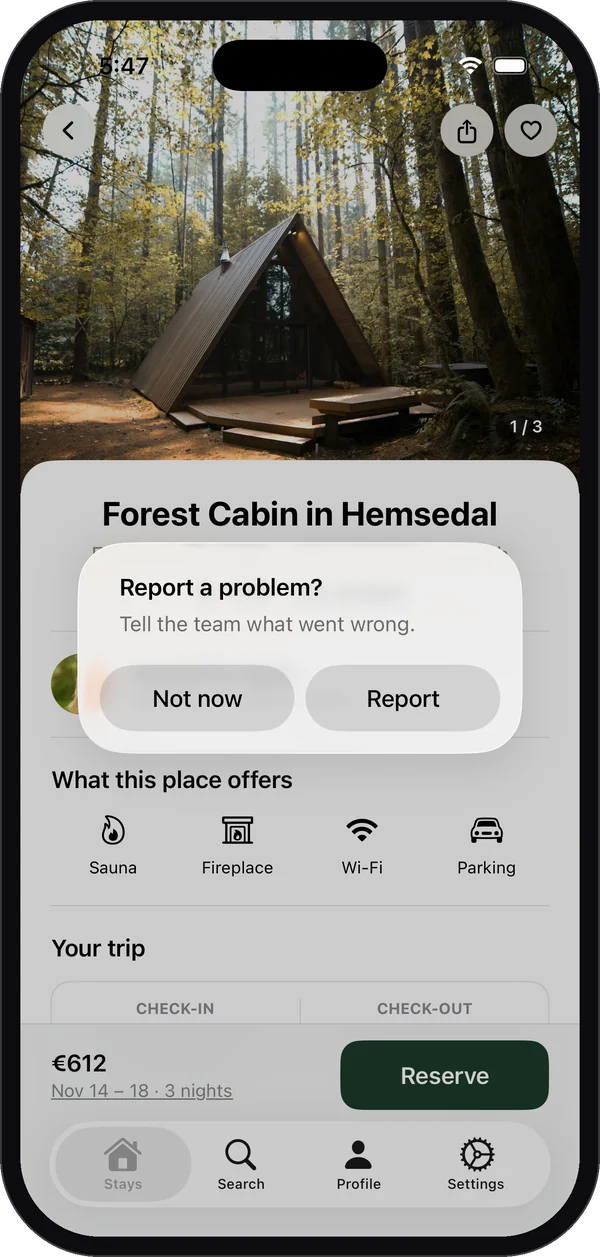
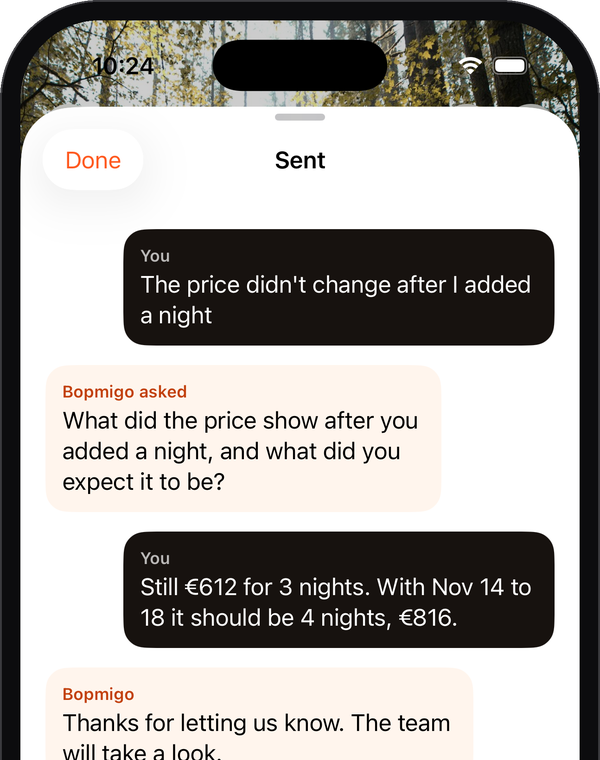
Bopmigo adds in-app feedback to iPhone and iPad apps and to Flutter apps on iPhone and Android. People can report from your own button or right after taking a screenshot, write a line, and Bopmigo adds the screen, app version and device, with private details covered in the screenshot. If something important is missing, it asks a short follow-up. Your reply appears inside the app, so you can help someone on day one instead of reading their review on day two.
Will App Store users be interrupted by a feedback prompt?
Not by default. The offer after a screenshot appears in TestFlight and Xcode builds; App Store users report from your own button unless you choose otherwise.
Does it work on Android?
Yes, for Flutter apps on Android. Native Android apps aren’t supported yet.