Stop bad app reviews before they happen
Most 1 star reviews describe a problem the developer could have fixed if they had heard first. How to give people an easier place to complain than the App Store, and what to do with what you hear.
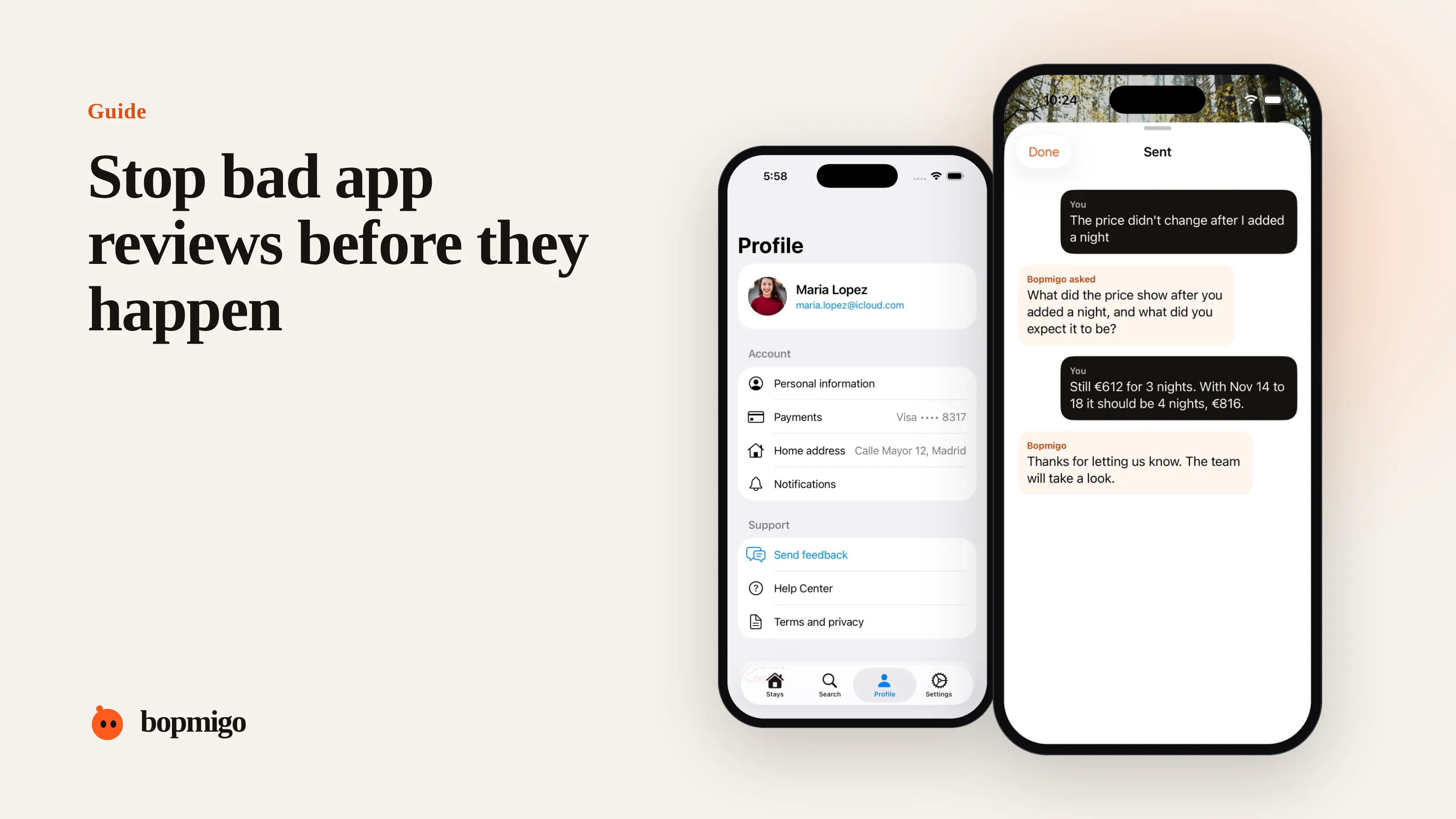
Short answer: most 1 and 2 star reviews are bug reports with nowhere else to go. Give people a faster way to tell you than the App Store: a feedback option inside the app, at the moment something fails, that takes a sentence. Reply quickly, fix what repeats, and the problems that used to become reviews become conversations.
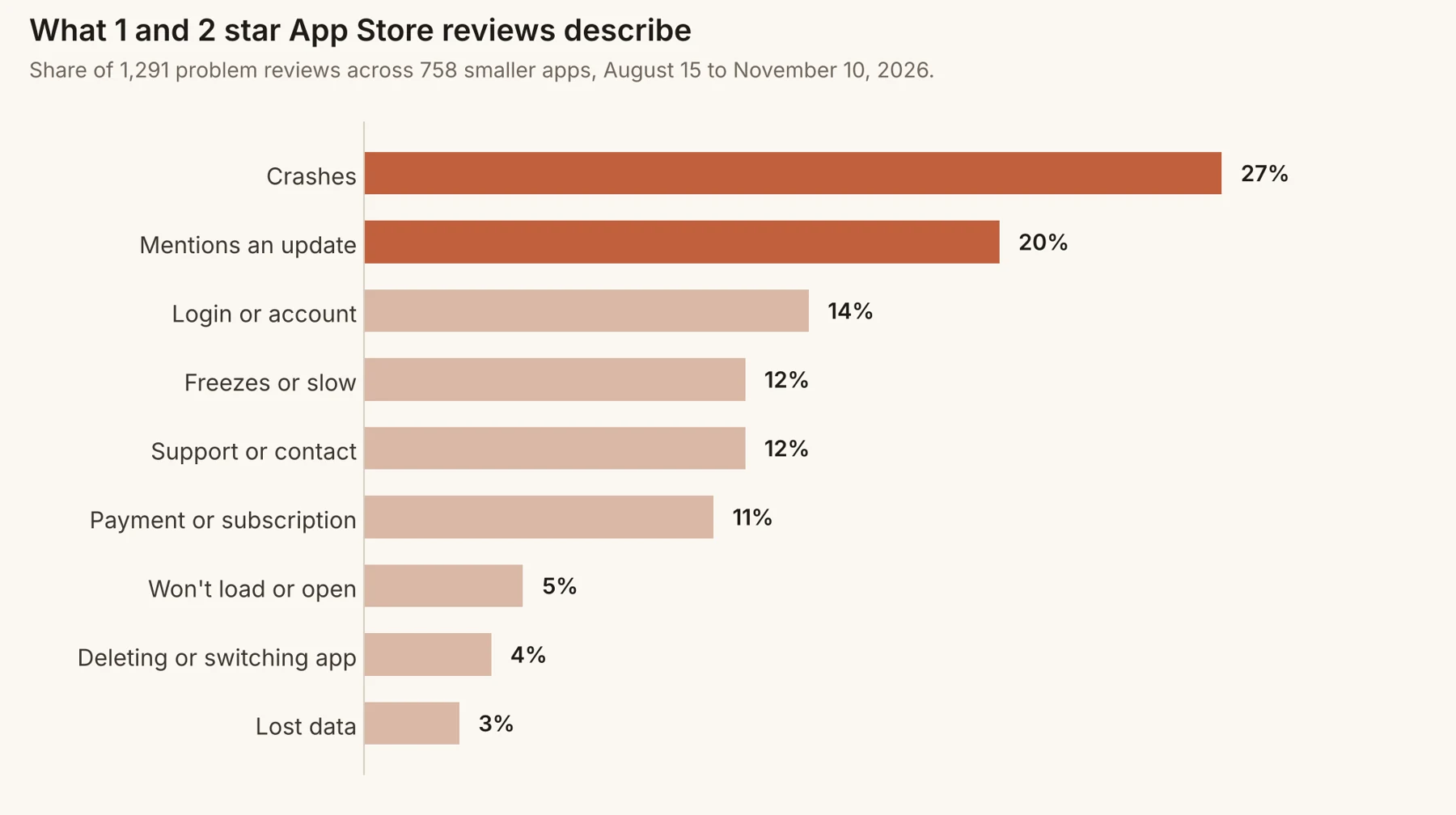
Why people complain in the App Store
Reviews are the most visible button in the whole experience. When an app crashes or a login fails, the person is annoyed and wants someone to know. The App Store is one tap away. Your support email is three screens deep, if they can find it. In our sample, about one in eight problem reviews mentioned support or trying to reach the developer, which suggests most reviewers didn’t try another route first.
What the reviews actually describe
| Theme | Share of problem reviews | Could you have heard first? |
|---|---|---|
| Crashes | 27% | Often, if people can report right after it happens |
| Mentions an update | 20% | Yes, if you ask right after the update |
| Login or account | 14% | Yes, if the sign-in screen has a way to report |
| Freezes or slow | 12% | Yes, from the screen that is slow |
| Payment or subscription | 11% | Yes, from the paywall or settings |
Give people a better place to complain
- 1
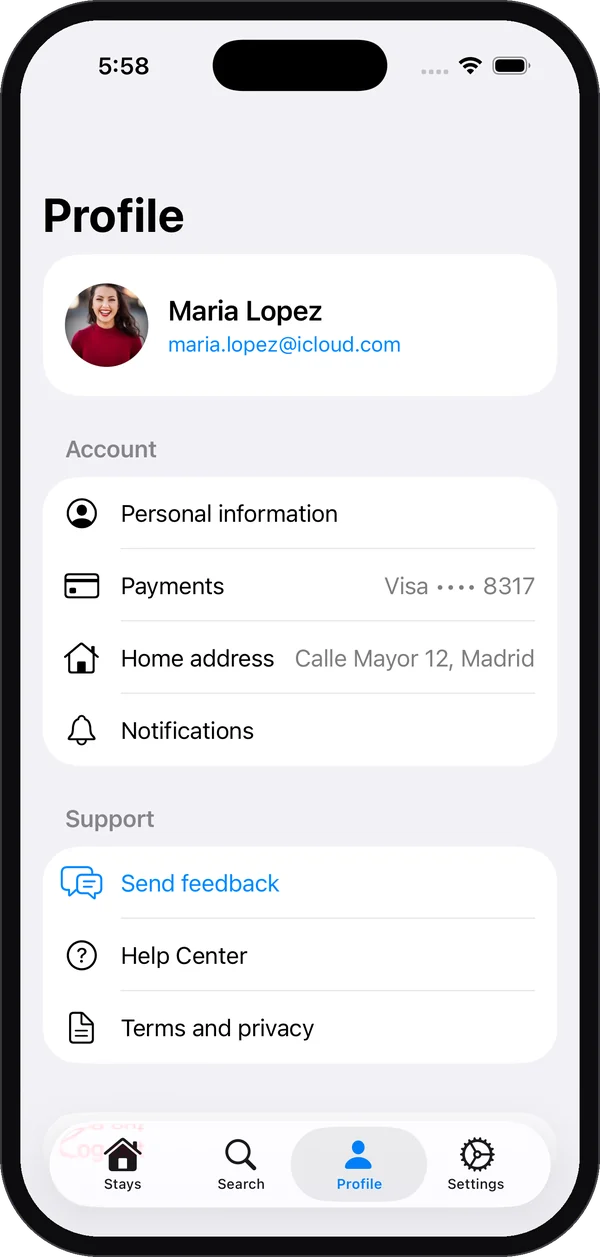
Put feedback inside the app
A Send feedback row in Settings, Profile or your help menu. It should open in the app, not an email draft.
- 2
Offer it where things go wrong
On error screens, failed payments and empty states: “Something went wrong. Tell us what happened?” This catches people at the exact moment they would otherwise open the App Store.
- 3
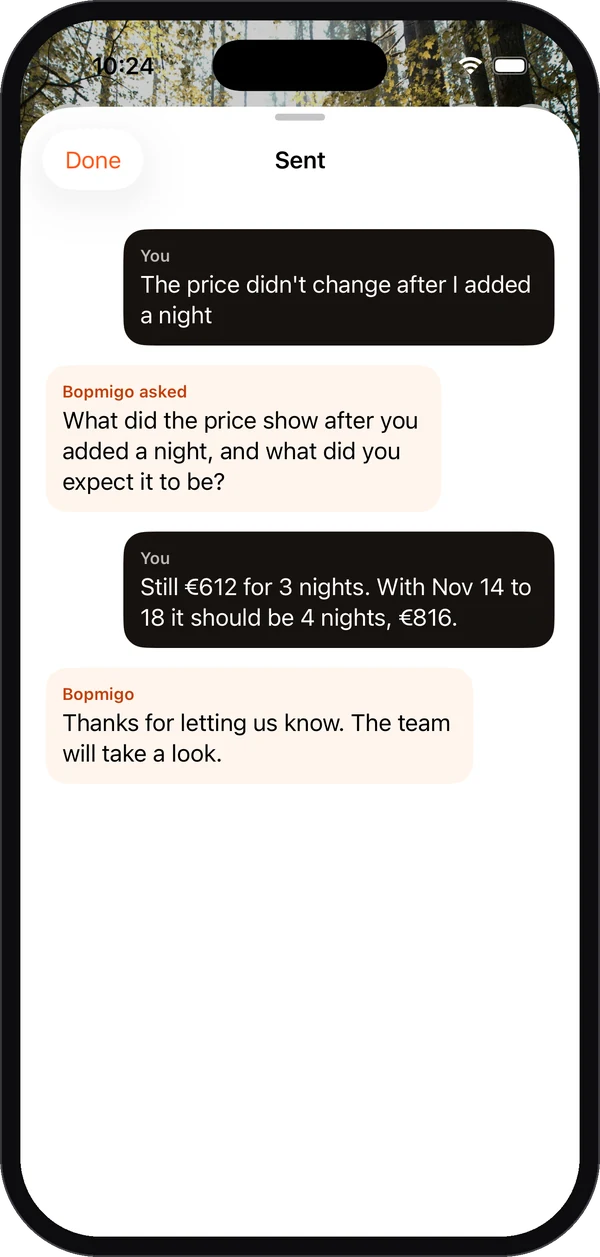
Make it take a sentence
Capture the screen, app version and device for them. Ask one more thing only if it is missing.
- 4
Reply within a day
A reply in the app, even “Thanks, we are on it”, is what turns an angry user into a patient one.
Ask for ratings only from happy moments
Asking for a rating after a success, such as finishing a workout or saving a project, brings in the people who are happy. Never ask right after an error or an update screen. When to show the rating prompt.
A worked example
Say a budgeting app’s latest reviews read “crashes when I add a transaction”. The developer can’t reproduce it. After adding a feedback option to the add-transaction screen, the first reports show the crash only happens when the amount uses a comma as the decimal separator. That is one fix, found from reports that arrive with the device language attached, instead of a slow stream of 1 star reviews.
What not to do
- Don’t hide your contact options to keep support volume down. People will use the App Store instead.
- Don’t ask “Do you love our app?” and send only the yes answers to the store. Store policies discourage review gating, and it fixes nothing.
- Don’t argue in public replies. Fix, then reply with what changed. Reply templates.
Where to put the feedback option
| Place | Why it works | What to say |
|---|---|---|
| Settings or Profile | Where people look when they want help | “Send feedback” and “Your feedback and replies” |
| Error screens | The exact moment of frustration | “Something went wrong. Tell us what happened?” |
| Empty or failed loads | People otherwise assume the app is broken for good | “Not loading? Let us know.” |
| After a big update | Changes are when ratings drop | “Anything worse since the update?” |
| Paywall and subscription screens | Payment complaints become 1 star reviews fast | “Question about your plan?” |
A week-one checklist
- Add a Send feedback row to Settings and test it on a real phone.
- Add a report option to your two most common error screens.
- Decide who reads new feedback every day, and how fast you reply.
- Read your last 50 reviews and note the three most common themes.
- After the next release, compare new reviews with new in-app reports. The overlap shows what you are catching early.
Reply to reviewers, then bring them in
Reviews about real problems deserve a public reply once the problem is fixed. Keep it short, say what changed and invite them to try again. Then make sure the in-app option is easy to find, so next time they tell you first. Reply templates.
Signs it is working
- In-app reports describe problems before reviews mention them.
- Fewer reviews are short and angry, more are about the product itself.
- Reviewers sometimes mention that you replied quickly.
- Your rating recovers faster after a bad release.
Questions to ask about your own app
- If someone hits a crash right now, where would they tell you? How many taps away is it?
- Does your error screen offer anything besides “Try again”?
- When did you last reply to a user within an hour?
- Which of your last ten 1 star reviews could you have fixed if you had heard first?
- Is your rating prompt shown after a success, or on launch?
A 30-day plan
| Week | Do this |
|---|---|
| 1 | Add Send feedback to Settings and your two main error screens. Read your last 50 reviews and tag the themes. |
| 2 | Reply to every in-app report within a day. Fix the most repeated problem. |
| 3 | Move your rating prompt to a success moment. Reply to old reviews about the fixed problem. |
| 4 | Compare new reviews with new in-app reports. Note which themes now reach you first. |
Will adding in-app feedback lower my number of reviews?
It lowers angry reviews about problems you could have fixed. Happy users still rate you when your prompt appears at a good moment.
Is it worth it for a small app with few users?
Especially then. With fewer ratings, each 1 star review moves your average more, and each user you keep matters more.
What if people still go to the App Store first?
Some will. Reply publicly once it is fixed, and make the in-app option easier to find for next time.
Error screen wording you can copy
| Situation | Instead of | Try |
|---|---|---|
| Something failed to load | “Error 500” | “This didn’t load. Try again, or tell us what you were doing and we’ll look.” |
| A payment failed | “Transaction declined” | “Your payment didn’t go through and you weren’t charged. Tell us if this keeps happening.” |
| Sign-in failed | “Invalid credentials” | “We couldn’t sign you in. Reset your password, or tell us what happened.” |
| Sync failed | “Sync error” | “Your changes are saved on this phone and will sync later. Something not right? Let us know.” |
Each version tells people what happened, what to do next, and gives them a better place to vent than the App Store.
How Bopmigo helps
Bopmigo adds in-app feedback to iPhone apps and to Flutter apps on iPhone and Android. People report from your own button or, for testers, right after a screenshot. You get the screen, app version and device, and a short follow-up when something important is missing. Your reply appears in the app.