What is in-app feedback? Definition and examples
Feedback people give from inside your product, while they use it, instead of by email or survey later.
In-app feedback: Feedback people give from inside your product, while they use it, instead of by email or survey later.
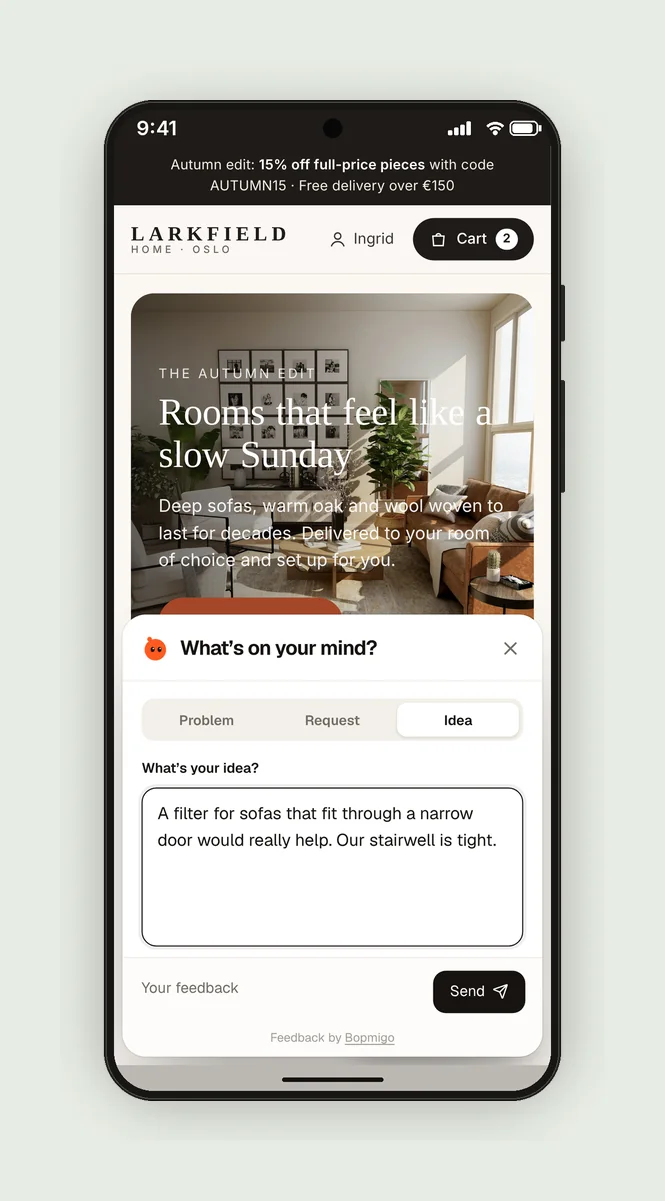
In-app feedback catches problems and ideas at the moment they happen, with the screen or page attached. That makes it more specific than feedback collected afterwards.
It can be started by the person (a Send feedback button) or by the product (a question shown after a task).
Example
- A “Send feedback” button in Settings.
- “Report a problem?” after a tester takes a screenshot.
- A one-question prompt after someone finishes onboarding.
Why timing matters
Memory fades fast. Ask someone a day later what went wrong and you get “it didn’t work”. Ask while they are still on the screen and you get “the total didn’t update when I changed the dates”. In-app feedback is valuable mostly because of when it is collected, not how.
Ways to collect it
| Method | Good for | Watch out for |
|---|---|---|
| A feedback button or menu item | Bugs and requests at any time | People need to know it exists |
| A prompt after an action | Reactions to a new feature or flow | Showing it too often |
| A prompt after a screenshot | Beta testers pointing at problems | Showing it to every App Store user |
| A message from your team | Asking a specific person a question | Asking without a clear reason |
Common mistakes
- Long forms. One line plus automatic context beats ten fields.
- No reply. People stop reporting when nothing comes back.
- Collecting everything into a spreadsheet nobody reads. Pick an owner and a weekly time to look.
Where Bopmigo fits
Bopmigo collects in-app feedback on websites, iPhone apps and Flutter apps, and asks a short follow-up when something important is missing.
Questions
Does in-app feedback annoy users?
Not when it waits to be opened or appears rarely at natural moments. See asking without annoying users.
Is in-app feedback better than surveys?
They answer different questions. In-app feedback tells you what went wrong and where; surveys measure how people feel across many users.
Does in-app feedback work for mobile apps?
Yes. On phones it matters even more, because typing a long email about a bug is hard on a small screen.