Quick start: Flutter app
Add the Bopmigo Flutter package to an app on iPhone and Android, so people can report from inside the app.
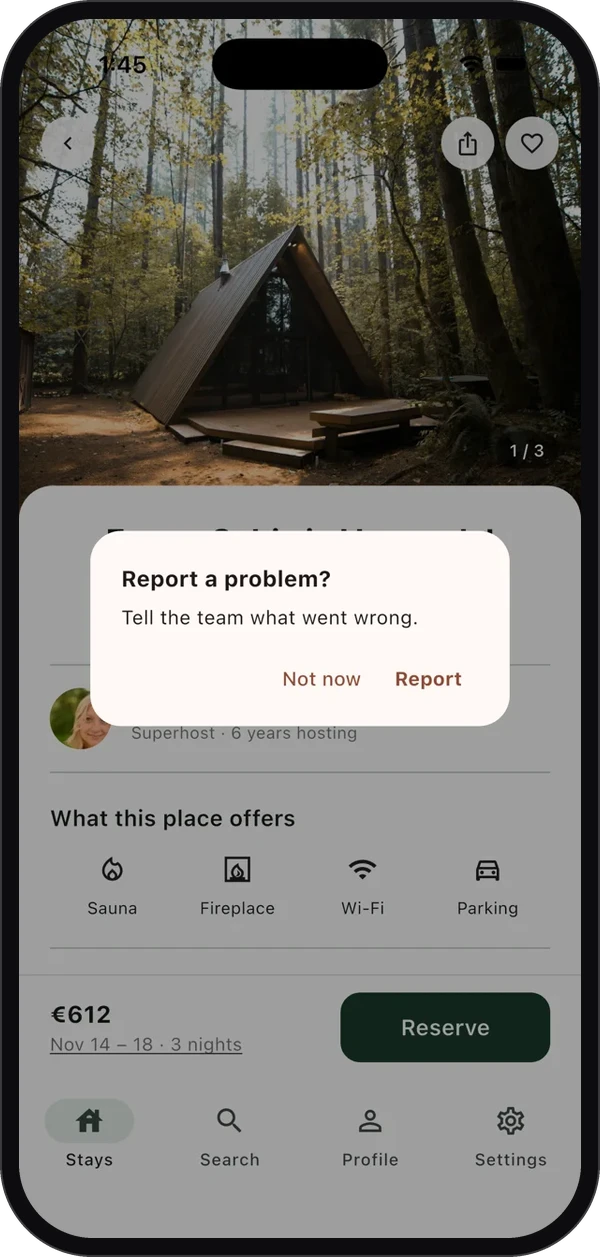
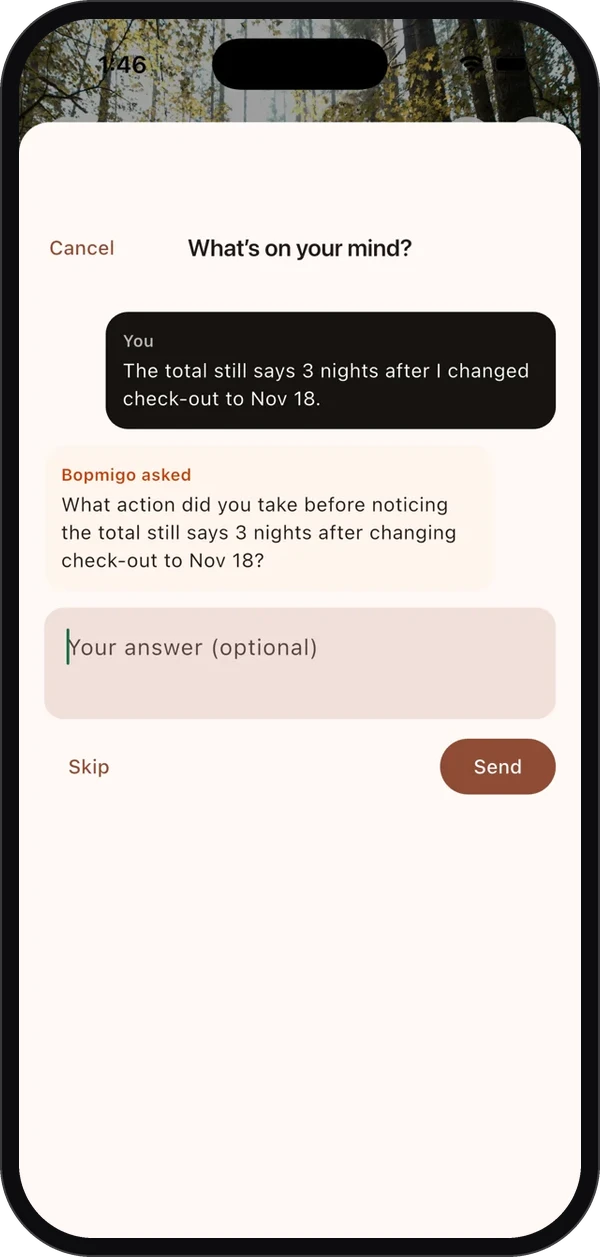
- 1
Create your workspace
Sign up at bopmigo.com.
- 2
Connect your app
Choose App and give it a name. Bopmigo shows your app ID and the Flutter setup.
- 3
- 4
Configure it once
Before
runApp, and add the builder to your app:Dartimport 'package:bopmigo/bopmigo.dart'; Future<void> main() async { await Bopmigo.configure(appId: 'YOUR-APP-ID'); runApp(const MyApp()); } class MyApp extends StatelessWidget { const MyApp({super.key}); @override Widget build(BuildContext context) => MaterialApp( builder: Bopmigo.builder, navigatorObservers: [Bopmigo.navigatorObserver], home: const HomePage(), ); } - 5
Send a test report
Run the app and take a screenshot (in the iOS Simulator: Device › Trigger Screenshot), then tap Report. Or call
Bopmigo.show()from a button. It shows up in your inbox within seconds.
Works on iPhone and Android, with MaterialApp, CupertinoApp and WidgetsApp. If you already use
builder, wrap yours: builder: (context, child) => Bopmigo.builder(context, yours(context, child)).Next: Flutter app options for who sees the screenshot offer, your own button, replies and private details. The package is on pub.dev, with source and a sample app on GitHub.
NextFlutter app options →