Flutter app options
Choose who sees the screenshot offer, open feedback from your own button, show replies and hide private details, on iPhone and Android.
Who sees “Report a problem?”
Dart
Bopmigo.configure(appId: 'YOUR-APP-ID', screenshotPrompt: ScreenshotPrompt.testersOnly) // default
Bopmigo.configure(appId: 'YOUR-APP-ID', screenshotPrompt: ScreenshotPrompt.always)
Bopmigo.configure(appId: 'YOUR-APP-ID', screenshotPrompt: ScreenshotPrompt.never)testersOnly(default): debug builds, TestFlight, and Android installs that didn’t come from Google Play. People who install from the App Store or Google Play are never asked.always: everyone who takes a screenshot is asked.never: no offer after screenshots. People open feedback from your own button instead.
Android tells apps about screenshots from Android 14. On older versions, people use your own button.
Open feedback from your own button
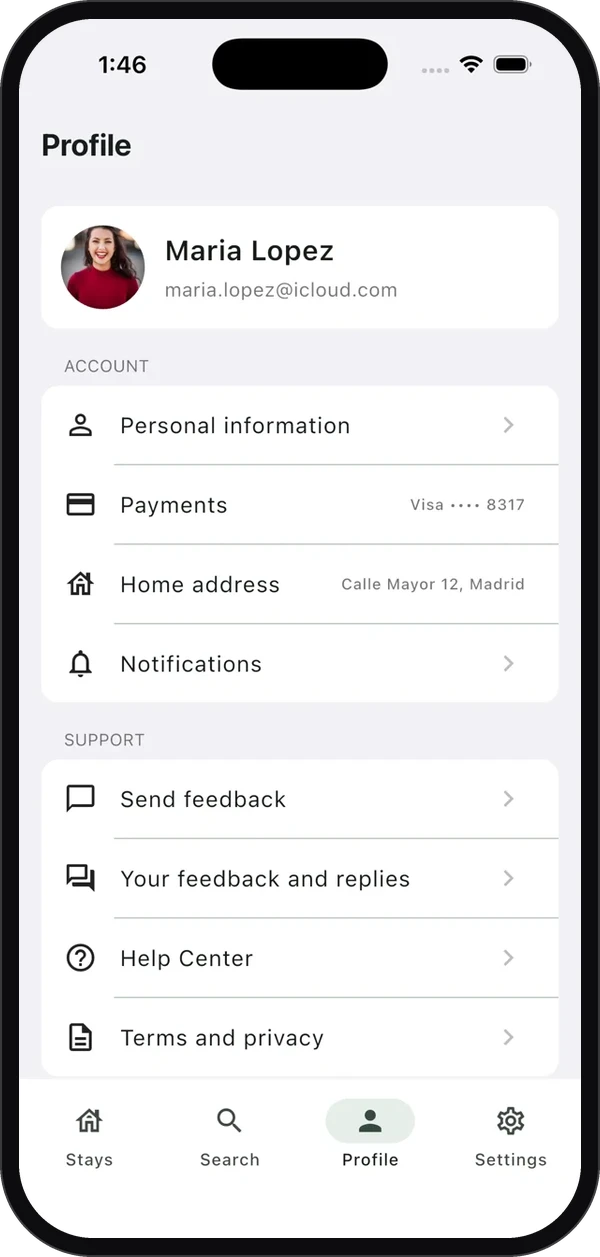
Dart
ListTile(title: const Text('Send feedback'), onTap: Bopmigo.show)
ListTile(title: const Text('Your feedback and replies'), onTap: Bopmigo.showReplies)
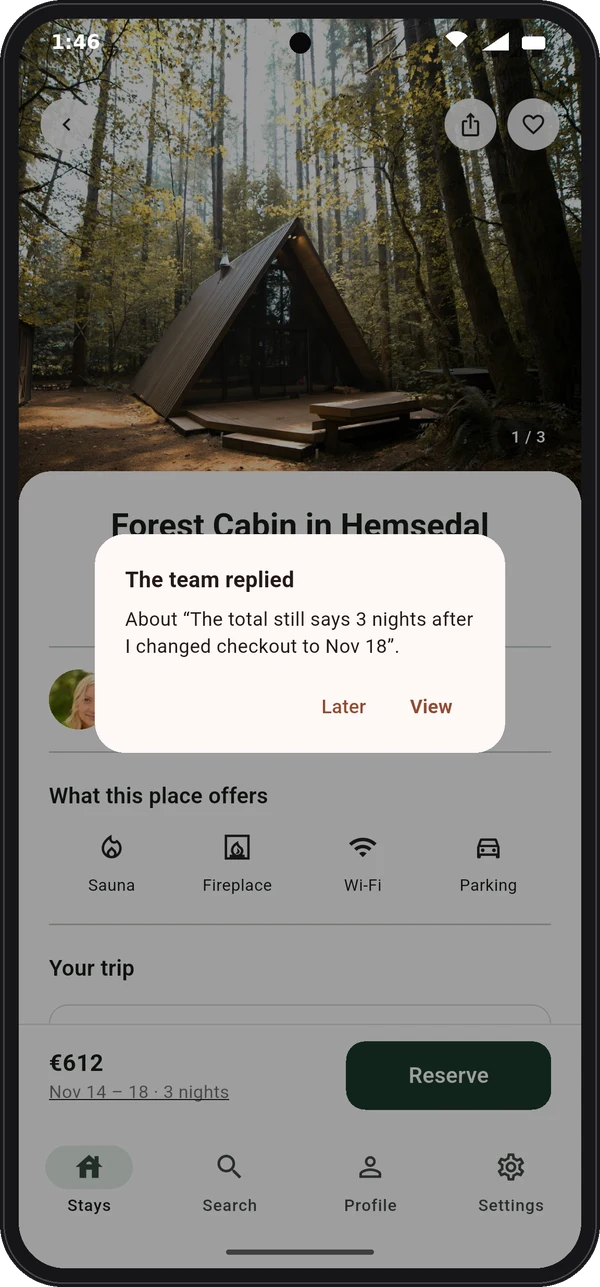
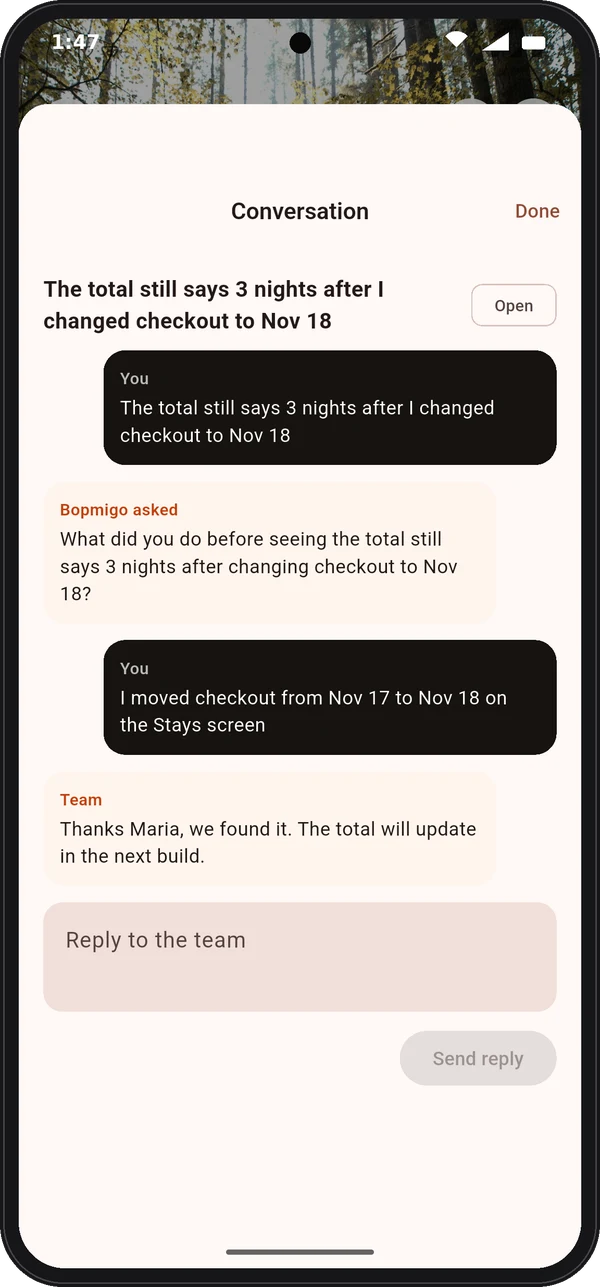
When you reply from your inbox, the person sees The team replied the next time they open your app, and can answer back.
Name screens and hide private details
Dart
BopmigoPrivate(child: Text(user.email))   // covered in screenshots
Bopmigo.setHideAllText(true)              // cover every word in screenshots
Bopmigo.setScreen('Checkout')             // or name your routes and add Bopmigo.navigatorObserver
Bopmigo.setUser(id: user.id, email: user.email, name: user.name)
Bopmigo.setContext('plan', 'pro')
Password fields are always covered. Nothing about the person is sent unless you call setUser. If sending fails, the report is kept on the phone and sent when the app is next opened.
The package is bopmigo on pub.dev. Source and a sample app are on GitHub.
NextiPhone app options →