Your free trial
What the 7-day Bopmigo trial includes, how to check when it ends, and what happens to your reports afterwards.
Every new workspace starts with 7 days of everything in Pro, without a card. You can connect sites and apps, invite teammates and collect real feedback straight away.
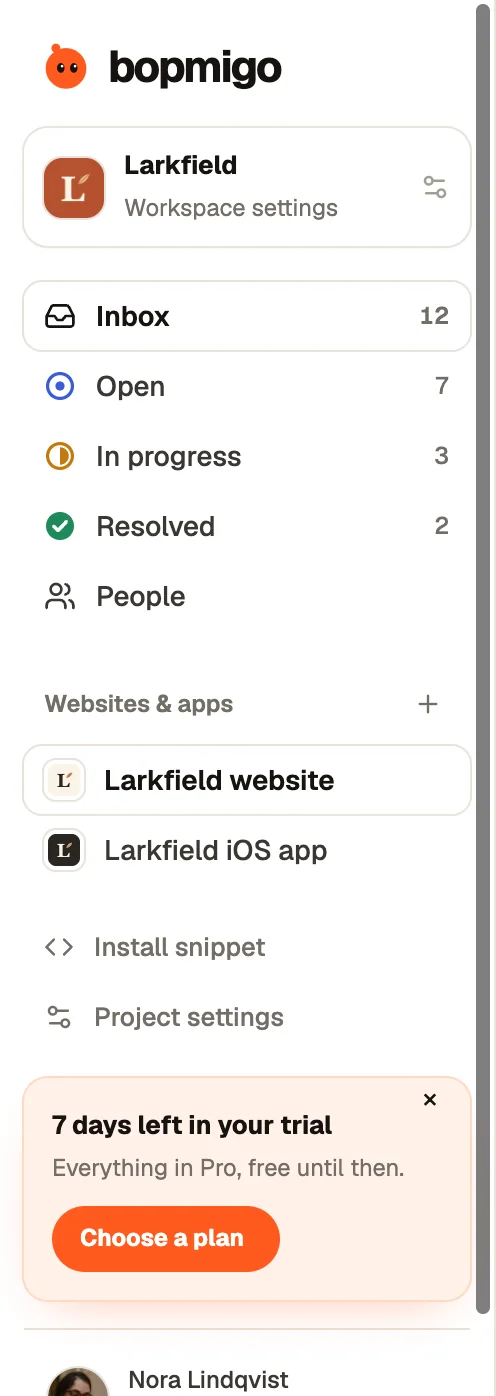
Check how long is left
- The reminder in the sidebar counts the days. Select × to hide it. It comes back two days before the end.
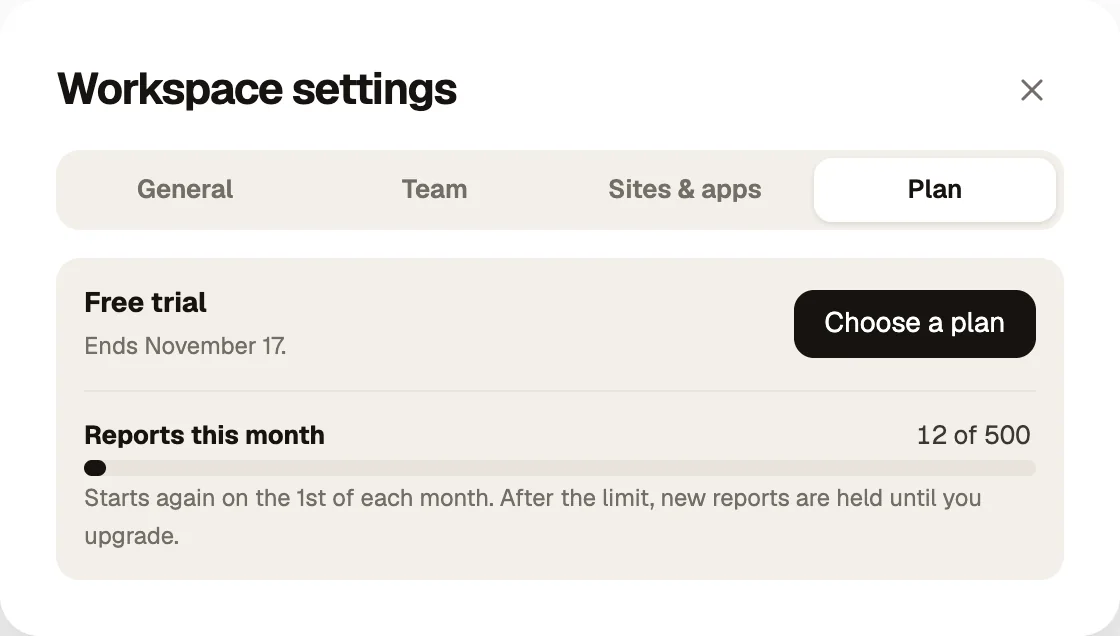
- Open Workspace settings → Plan to see the exact date the trial ends and how many reports you have used this month.
What the trial includes
| During the trial | |
|---|---|
| Websites and apps | Up to 3 |
| Reports | 500 this month |
| People | Up to 3 |
| Replies, email reports, follow-up questions | All included |
When the trial ends
If you have not chosen a plan, the inbox locks. Nothing is lost: your widget keeps collecting, reports are kept, and the inbox shows how many are waiting. Choose a plan and they all appear. Plans and limits.
Make the most of 7 days
- 1
Day 1: install
Add Bopmigo to the site or app where people get stuck most, then send a test.
- 2
Days 2 to 5: invite people in
Invite a teammate, and ask a few customers or testers to use Feedback when something goes wrong.
- 3
Days 6 and 7: decide
Look at how many reports you got and how many you could act on without asking anything. That is the clearest sign of whether it is worth keeping.